
Swift Values and Strings for iOS Apps
Follow a changing shopping cart
Build a cart summary and explain why a string created earlier does not update when its input changes. You will trace constants, variables, inferred types and interpolation through concrete values.
Start with the small worked operation, follow its decisions, then open the matching complete Xcode checkpoint. It includes the exact source used for the screenshot. The examples use local fixtures so you can inspect behavior without an account or server.
Build a cart summary from typed values
A cart provides a useful reason to distinguish fixed configuration from changing data. The currency label belongs to this example’s configuration; item count and subtotal can change as products are added. Type inference derives concrete types from the initial values; it does not permit a count to become a string later.
let currency = "USD"
var itemCount = 2
var subtotal = 7.5
itemCount += 1
subtotal += 2.5
let summary = "\(itemCount) items · \(currency)"
assert(summary == "3 items · USD")
assert(subtotal == 10.0)
Expected output
3 items · USDFollow the changes in order: itemCount starts at 2 and becomes 3; subtotal starts at 7.5 and becomes 10.0. Interpolation evaluates itemCount when summary is created. The constant summary is not a live subscription to itemCount.
Stored text versus a computed result
var count = 2
let oldSummary = "\(count) items"
count = 4
assert(oldSummary == "2 items")
let currentSummary = "\(count) items"
assert(currentSummary == "4 items")
This explains a common “my label is stale” mistake before SwiftUI state enters the picture: a previously created String does not update itself. Recompute the value at the appropriate time; later state lessons explain how changing data triggers the interface to read a new description.
Formatting is a separate decision
Interpolation is useful for learning value flow. Money needs currency-aware formatting and a suitable numeric model; a production cart also needs pluralization, localization and rounding rules. Do not infer that a raw Double and the literal word items define a complete checkout policy.
Run the complete scenario on iPhone
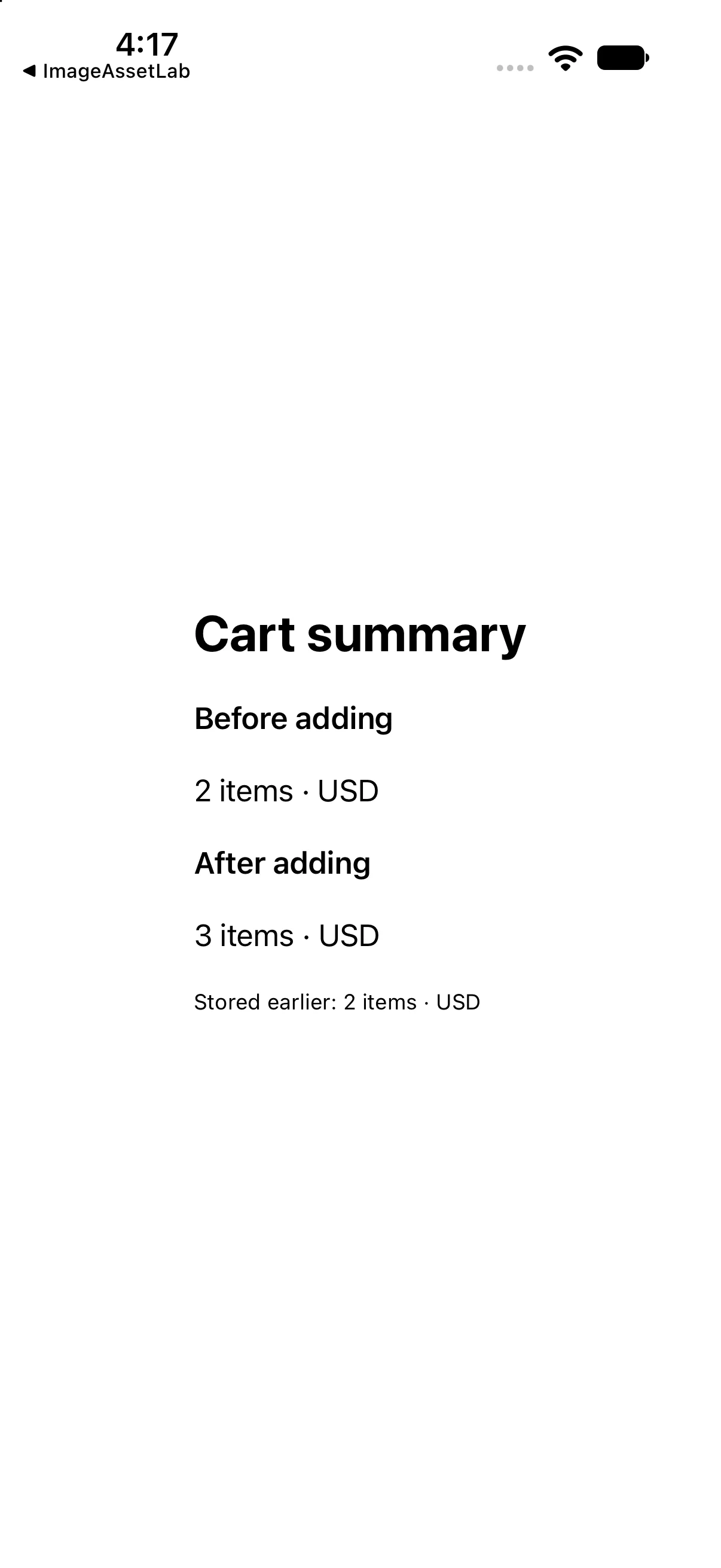
The interface below calls the operations discussed above and presents their results. This is a dedicated example for this lesson, not the greeting app used in the first revision. Replace ContentView.swift in the downloadable project with this complete source if reproducing it by hand.
import SwiftUI

let initialCount = 2
var updatedCount: Int { initialCount + 1 }
let storedSummary = "2 items · USD"

struct ContentView: View {
 var body: some View {
 VStack(alignment: .leading, spacing: 20) {
 Text("Cart summary").font(.title).bold()
 Text("Before adding").font(.headline)
 Text("\(initialCount) items · USD")
 Text("After adding").font(.headline)
 Text("\(updatedCount) items · USD")
 Text("Stored earlier: \(storedSummary)").font(.caption)
}.padding(24)
 }
}

#Preview { ContentView() }
Download this complete checkpoint project. The code above replaces ContentView.swift in this project; its app entry point is already included.
Apply the idea to a new case
Change the initial count to 4 and add two items instead of one. Predict the initial, updated and stored summary labels before running.
Worked answer
The updated count is 6. A stored summary created for the earlier count stays at that earlier value unless you compute a new string. In the supplied checkpoint the stored string is an explicit baseline fixture; replace it with interpolation from your own initial value for this exercise.
This exercise is a proposed change; the screenshot shows the supplied baseline. Predict the outcome before running and restore the baseline when comparing against the capture.
Explain the behavior
Choose the explanation that follows from the worked example.
What to take into the next lesson
You traced changing numeric values into a newly created string and explained why an older string remains unchanged. Next, express reusable operations with functions and closures.
Reaching the recap and completing the quizzes are separate milestones.