
Collections and Identifiable in SwiftUI
Rename and select tasks while preserving identity
A task title can change while the logical item remains the same. Build a before/after comparison, select matching tasks and distinguish the array position from the item ID.
Start with the small worked operation, follow its decisions, then open the matching complete Xcode checkpoint. It includes the exact source used for the screenshot. The examples use local fixtures so you can inspect behavior without an account or server.
Edit a task without losing its identity
A task list is ordered, but a row’s position is not its identity. Adding a task at the beginning changes other rows’ indexes without turning them into different tasks. Keep a stored identifier for the logical item and a separate editable title.
struct TodoItem: Identifiable {
    let id: Int
    var title: String
}
var todos = [
    TodoItem(id: 1, title: "Buy milk"),
    TodoItem(id: 2, title: "Book dentist")
]
let firstID = todos[0].id
todos[0].title = "Buy oat milk"
assert(todos[0].id == firstID)
let dentist = todos.first { $0.id == 2 }
assert(dentist?.title == "Book dentist")
The literal contains two items, so index 0 is established in this exercise. For an arbitrary array, use indices.contains before subscripting or use operations such as first(where:) that model a potentially missing result. first(where:) returns an optional because the item may not exist.
Select values without changing the source
let matching = todos.filter { $0.title.hasPrefix("Buy") }
let titles = matching.map { $0.title }
assert(titles == ["Buy oat milk"])
assert(todos.count == 2)
filter selects elements and map transforms each selected element. Both return new arrays here. A dictionary is useful for key-based lookup and a set for uniqueness, but neither is a drop-in ordered row model. Choose the structure based on the operation you need, then preserve stable IDs when passing the resulting items to ForEach.
Run the complete scenario on iPhone
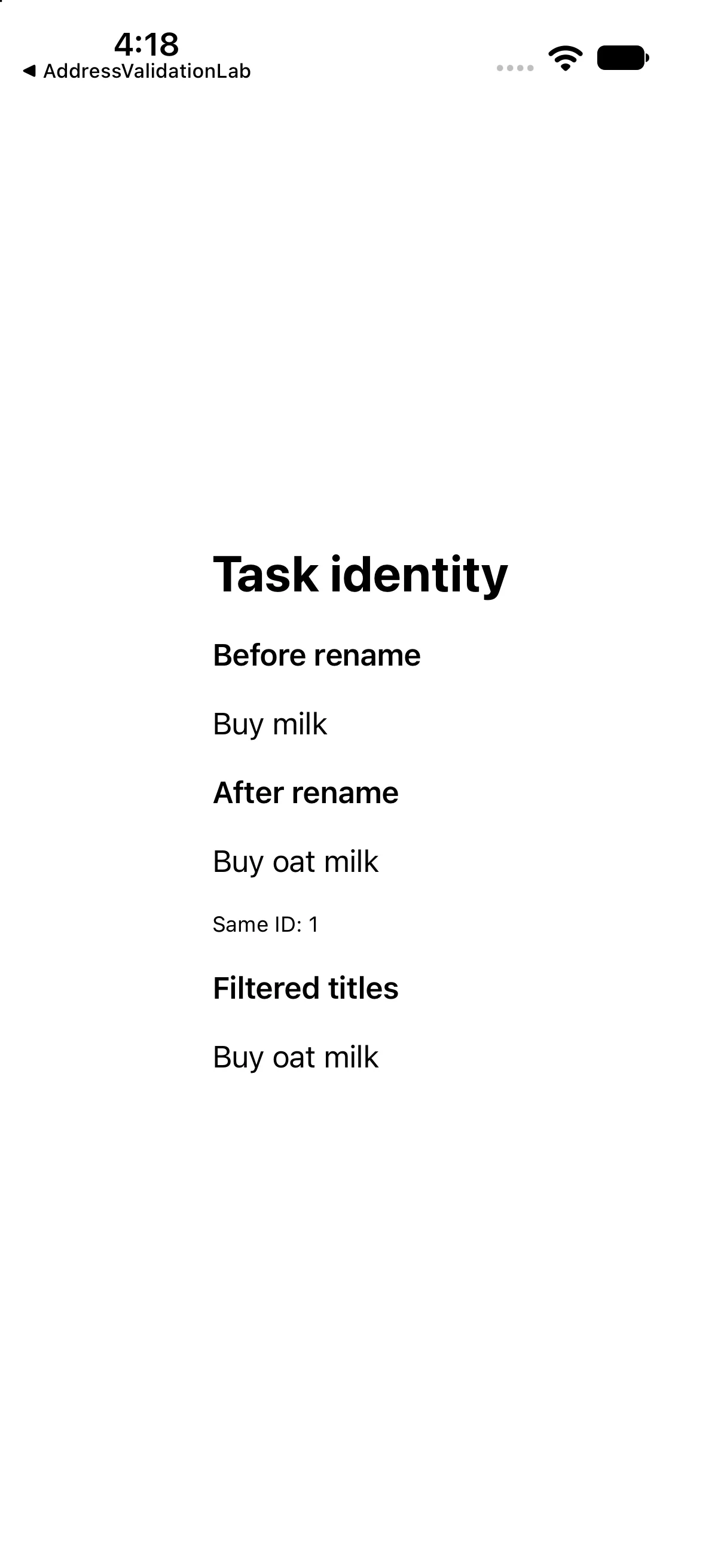
The interface below calls the operations discussed above and presents their results. This is a dedicated example for this lesson, not the greeting app used in the first revision. Replace ContentView.swift in the downloadable project with this complete source if reproducing it by hand.
import SwiftUI

struct TodoItem: Identifiable { let id: Int; var title: String }
let originalTask = TodoItem(id: 1, title: "Buy milk")
var renamedTask: TodoItem { var copy = originalTask; copy.title = "Buy oat milk"; return copy }
let dentist = TodoItem(id: 2, title: "Book dentist")
var matching: [TodoItem] { [renamedTask, dentist].filter { $0.title.hasPrefix("Buy") } }

struct ContentView: View {
 var body: some View {
 VStack(alignment: .leading, spacing: 18) {
 Text("Task identity").font(.title).bold()
 Text("Before rename").font(.headline)
 Text(originalTask.title)
 Text("After rename").font(.headline)
 Text(renamedTask.title)
 Text("Same ID: \(renamedTask.id)").font(.caption)
 Text("Filtered titles").font(.headline)
 ForEach(matching) { Text($0.title) }
}.padding(24)
 }
}

#Preview { ContentView() }
Download this complete checkpoint project. The code above replaces ContentView.swift in this project; its app entry point is already included.
Apply the idea to a new case
Insert a new task at the beginning. Explain what happens to the dentist task’s index and ID.
Worked answer
Its index changes but its stored ID 2 stays the same. Search by the logical ID when that is the question; do not assume an old array position still refers to that task.
This exercise is a proposed change; the screenshot shows the supplied baseline. Predict the outcome before running and restore the baseline when comparing against the capture.
Explain the behavior
Choose the explanation that follows from the worked example.
What to take into the next lesson
You renamed a task without changing its identity, looked up an optional result and combined filtering with transformation. Next, share a small capability through a protocol.
Reaching the recap and completing the quizzes are separate milestones.