
Functions and Closures in an iOS App
Select available products with a predicate
Build a stock filter, then compare a named function, a typed function value and a closure. Each form must explain which values are kept and why.
Start with the small worked operation, follow its decisions, then open the matching complete Xcode checkpoint. It includes the exact source used for the screenshot. The examples use local fixtures so you can inspect behavior without an account or server.
Give a closure a useful job: selecting products
A function gives an operation a name and a contract. A closure lets you pass an operation where another function needs behavior. Filtering stock counts makes that purpose visible: the array owns iteration, while your predicate decides which elements to keep.
func isAvailable(stock: Int) -> Bool { stock > 0 }
let stockCounts = [0, 3, 8]
let available = stockCounts.filter { count in
    isAvailable(stock: count)
}
assert(available == [3, 8])
Expected output
[3, 8]filter calls the predicate with 0, then 3, then 8. The returned Bool values are false, true and true, so the new array contains 3 and 8. The source array is unchanged. The named function can be tested independently; the closure expresses how to use it for each element.
Read labels and function types separately
stock is the call-site label in isAvailable(stock: 3). The closure’s count is its local parameter. A value of type (Int) -> Bool describes an operation from integer to Boolean; the function type does not carry that call-site argument label.
let predicate: (Int) -> Bool = isAvailable
assert(predicate(3))
let positive = stockCounts.filter { $0 > 0 }
assert(positive == available)
The short $0 version is equivalent here, but short syntax is helpful only when the operation remains readable. A closure can also capture surrounding values. Capture lifetime, escaping callbacks and concurrent isolation add responsibilities; they are not demonstrated merely by wrapping a greeting function.
Run the complete scenario on iPhone
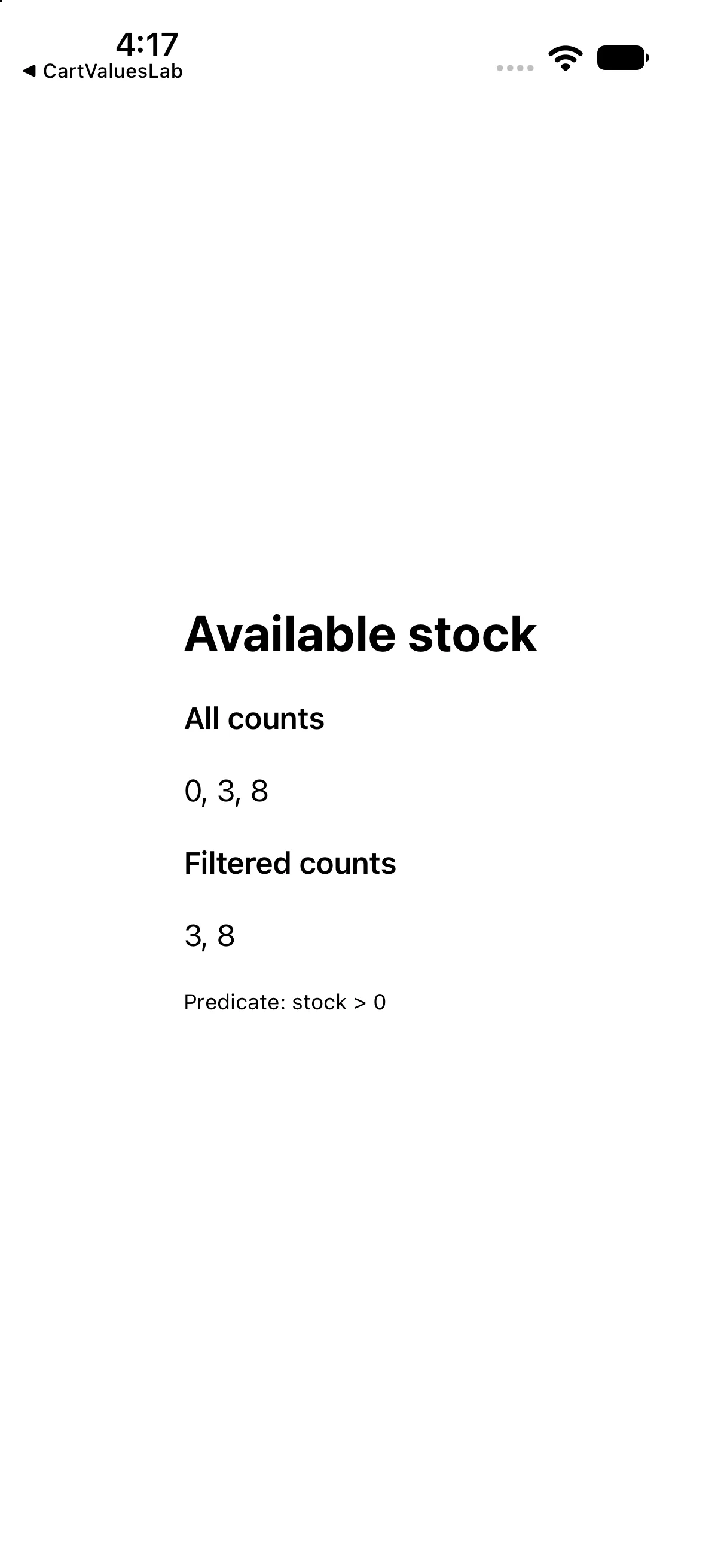
The interface below calls the operations discussed above and presents their results. This is a dedicated example for this lesson, not the greeting app used in the first revision. Replace ContentView.swift in the downloadable project with this complete source if reproducing it by hand.
import SwiftUI

func isAvailable(stock: Int) -> Bool { stock > 0 }
let counts = [0, 3, 8]
let available = counts.filter { count in isAvailable(stock: count) }

struct ContentView: View {
 var body: some View {
 VStack(alignment: .leading, spacing: 20) {
 Text("Available stock").font(.title).bold()
 Text("All counts").font(.headline)
 Text(counts.map(String.init).joined(separator: ", "))
 Text("Filtered counts").font(.headline)
 Text(available.map(String.init).joined(separator: ", "))
 Text("Predicate: stock > 0").font(.caption)
}.padding(24)
 }
}

#Preview { ContentView() }
Download this complete checkpoint project. The code above replaces ContentView.swift in this project; its app entry point is already included.
Apply the idea to a new case
Filter [0, 3, 8] to keep only counts of at least 5. Write the named predicate and the closure form.
Worked answer
Use stock >= 5 in the predicate, or filter { $0 >= 5 }. The result is [8]. Do not mutate the source merely to select a new collection.
This exercise is a proposed change; the screenshot shows the supplied baseline. Predict the outcome before running and restore the baseline when comparing against the capture.
Explain the behavior
Choose the explanation that follows from the worked example.
What to take into the next lesson
You separated a named predicate from its caller, read a function type and used a closure to select array elements. Next, group related values and model valid states.
Reaching the recap and completing the quizzes are separate milestones.