
Handle Errors in an iOS App
Give different input failures different recovery messages
Build a registration-age example with invalid-number, below-minimum and successful inputs. Trace the throwing function and the caller’s recovery policy separately.
Start with the small worked operation, follow its decisions, then open the matching complete Xcode checkpoint. It includes the exact source used for the screenshot. The examples use local fixtures so you can inspect behavior without an account or server.
Recover differently from different registration failures
A registration form should not respond identically to “twenty” and “16” when its fictional policy requires a numeric age of at least 18. Define failures that let the caller choose an actionable message. Throwing communicates failure to the caller; choosing the recovery message belongs to the presentation boundary.
enum RegistrationError: Error { case invalidAge, tooYoung }
func registrationAge(_ text: String) throws -> Int {
    guard let age = Int(text) else { throw RegistrationError.invalidAge }
    guard age >= 18 else { throw RegistrationError.tooYoung }
    return age
}
func registrationMessage(_ text: String) -> String {
    do {
        let age = try registrationAge(text)
        return "Accepted age \(age)"
    } catch RegistrationError.invalidAge {
        return "Enter an age using digits"
    } catch RegistrationError.tooYoung {
        return "You must be at least 18"
    } catch {
        return "Try again later"
    }
}
assert(registrationMessage("twenty") == "Enter an age using digits")
assert(registrationMessage("16") == "You must be at least 18")
assert(registrationMessage("21") == "Accepted age 21")
Trace the early exit: if Int(text) fails, the age comparison never runs. If the comparison fails, the success return never runs. Catch branches then translate each cause into a different message. These checks use a fictional product rule, not a universal legal or identity policy.
Do not discard detail accidentally
try? converts failure to absence, which can be right when failure detail is intentionally irrelevant. Here it would erase the distinction the form needs. try! asserts that failure cannot happen and can trap; it is not user-input recovery. If the caller cannot recover, propagate the error with throws and let a higher-level boundary decide.
Run the complete scenario on iPhone
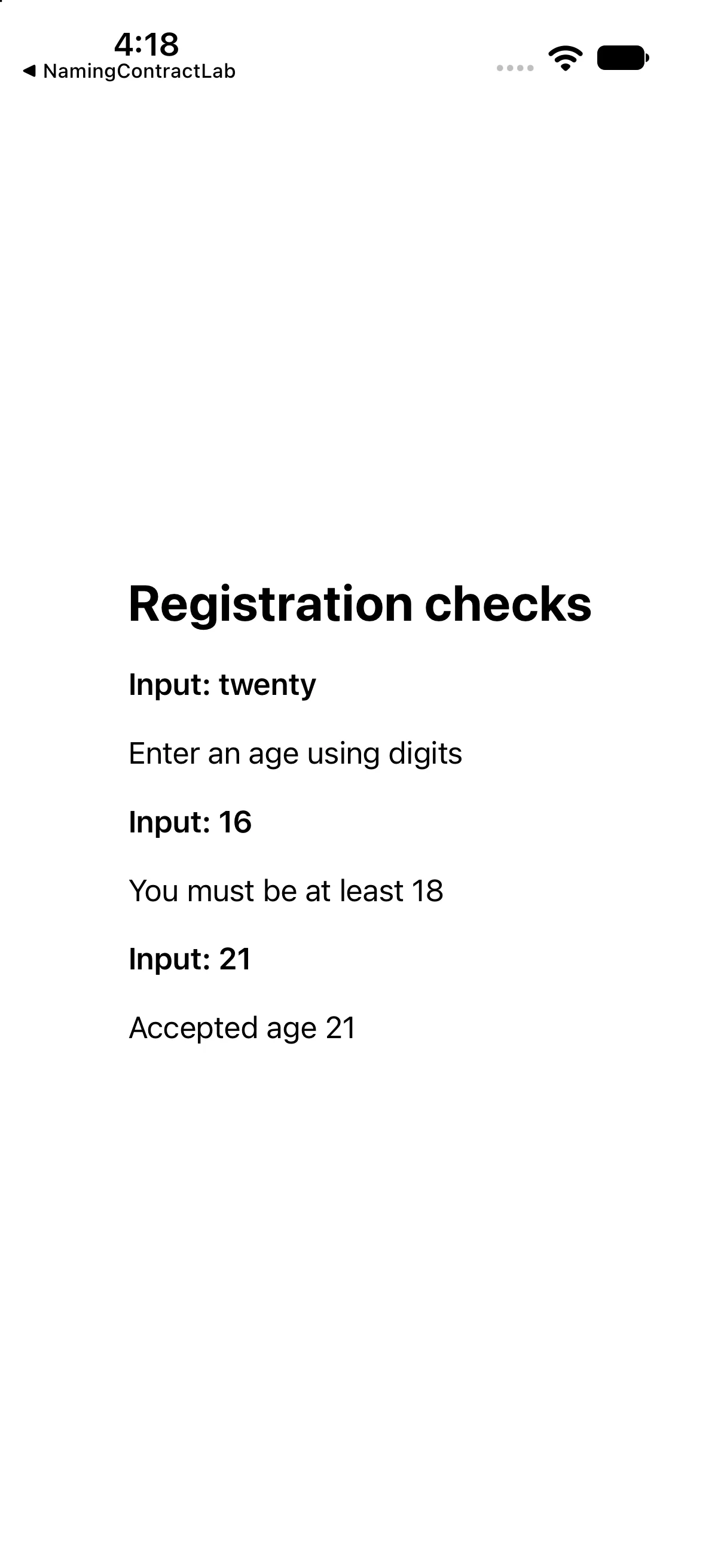
The interface below calls the operations discussed above and presents their results. This is a dedicated example for this lesson, not the greeting app used in the first revision. Replace ContentView.swift in the downloadable project with this complete source if reproducing it by hand.
import SwiftUI

enum RegistrationError: Error { case invalidAge, tooYoung }
func registrationAge(_ text: String) throws -> Int {
 guard let age = Int(text) else { throw RegistrationError.invalidAge }
 guard age >= 18 else { throw RegistrationError.tooYoung }
 return age
}
func registrationMessage(_ text: String) -> String {
 do { return "Accepted age \(try registrationAge(text))" }
 catch RegistrationError.invalidAge { return "Enter an age using digits" }
 catch RegistrationError.tooYoung { return "You must be at least 18" }
 catch { return "Try again later" }
}

struct ContentView: View {
 var body: some View {
 VStack(alignment: .leading, spacing: 18) {
 Text("Registration checks").font(.title).bold()
 Text("Input: twenty").font(.headline)
 Text(registrationMessage("twenty"))
 Text("Input: 16").font(.headline)
 Text(registrationMessage("16"))
 Text("Input: 21").font(.headline)
 Text(registrationMessage("21"))
}.padding(24)
 }
}

#Preview { ContentView() }
Download this complete checkpoint project. The code above replaces ContentView.swift in this project; its app entry point is already included.
Apply the idea to a new case
Add an explicit negative-age failure before the minimum-age check. Decide which catch handles -1.
Worked answer
Define the new error case, test age < 0 before the existing threshold and add its catch branch. Ordering matters: if the broad below-minimum guard throws first, the more specific negative-age branch is never reached.
This exercise is a proposed change; the screenshot shows the supplied baseline. Predict the outcome before running and restore the baseline when comparing against the capture.
Explain the behavior
Choose the explanation that follows from the worked example.
What to take into the next lesson
You traced three registration outcomes and chose different recovery messages at the caller. Next, follow asynchronous work through suspension and cancellation.
Reaching the recap and completing the quizzes are separate milestones.