
Model iOS App Data with Structs and Enums
Model a delivery and an independent update
Group a tracking number and status into one value, then update a copy. An exhaustive status-to-label mapping makes the result visible without relying on arbitrary status strings.
Start with the small worked operation, follow its decisions, then open the matching complete Xcode checkpoint. It includes the exact source used for the screenshot. The examples use local fixtures so you can inspect behavior without an account or server.
Represent delivery data without invalid status strings
Imagine three separate variables for a tracking number, status text and destination. They describe one delivery, yet nothing prevents unrelated values from being passed together. A struct groups the delivery’s data. An enum makes the allowed status choices explicit.
enum DeliveryStatus { case preparing, shipped, delivered }
struct Delivery {
    let trackingNumber: String
    var status: DeliveryStatus
}
let original = Delivery(trackingNumber: "PG123", status: .preparing)
var updated = original
updated.status = .shipped
assert(original.status == .preparing)
assert(updated.status == .shipped)
The tracking number stays fixed after initialization. The copied value can change status because updated is a var and status is a var. Making updated a let would prevent that mutation. The original remains preparing: these stored values do not become shared mutable state through assignment.
Choose a display value without changing the model
func statusText(_ status: DeliveryStatus) -> String {
    switch status {
    case .preparing: return "Preparing your parcel"
    case .shipped: return "On the way"
    case .delivered: return "Delivered"
    }
}
assert(statusText(updated.status) == "On the way")
An exhaustive switch connects each supported state to a label. A raw string status would allow spelling mistakes that become unexpected runtime branches. Raw values are useful when a stable external representation is needed; they are not required merely to show a human-readable label. Later associated-value examples can attach data to a particular state instead of storing unrelated optional fields everywhere.
Run the complete scenario on iPhone
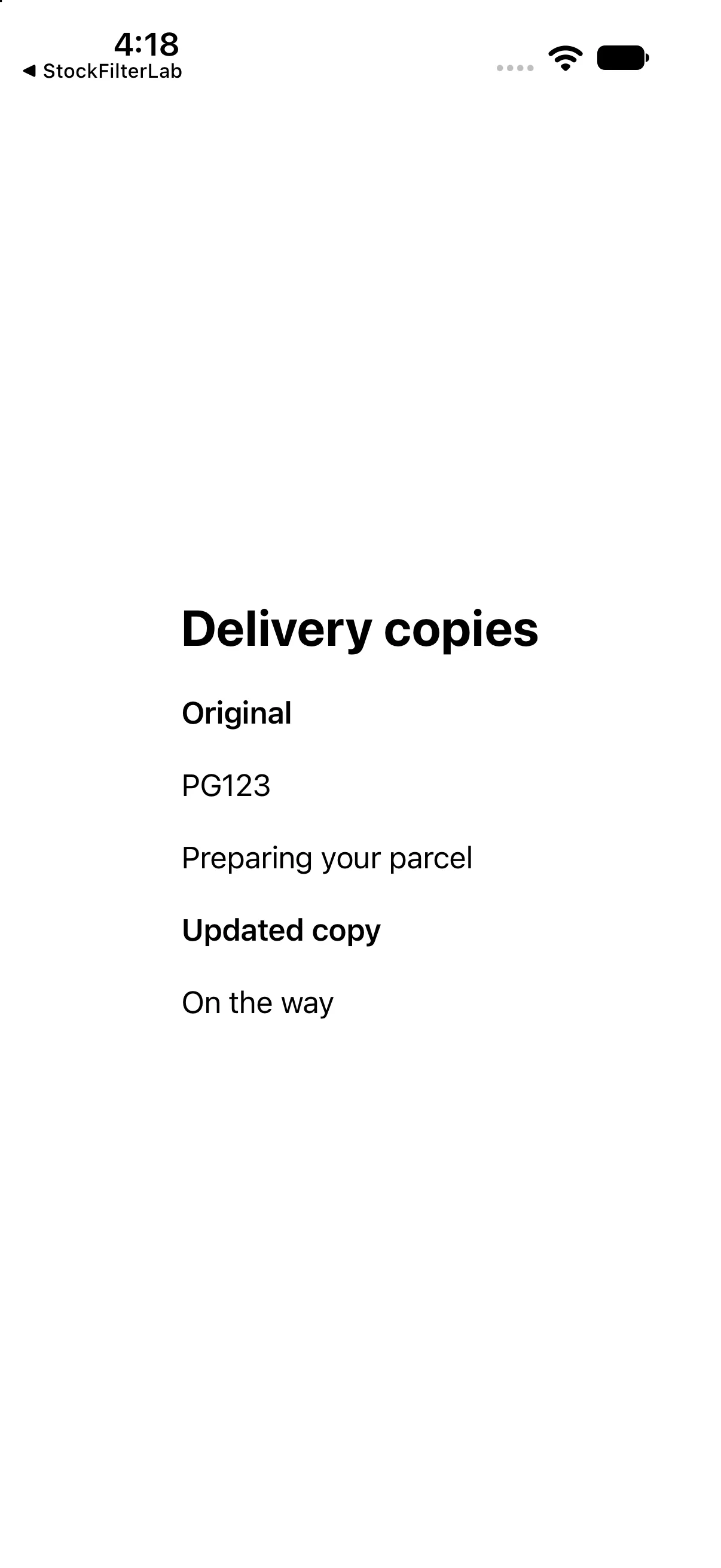
The interface below calls the operations discussed above and presents their results. This is a dedicated example for this lesson, not the greeting app used in the first revision. Replace ContentView.swift in the downloadable project with this complete source if reproducing it by hand.
import SwiftUI

enum DeliveryStatus { case preparing, shipped, delivered }
struct Delivery { let trackingNumber: String; var status: DeliveryStatus }
let original = Delivery(trackingNumber: "PG123", status: .preparing)
var updated: Delivery { var copy = original; copy.status = .shipped; return copy }
func statusText(_ status: DeliveryStatus) -> String {
 switch status {
 case .preparing: return "Preparing your parcel"
 case .shipped: return "On the way"
 case .delivered: return "Delivered"
 }
}

struct ContentView: View {
 var body: some View {
 VStack(alignment: .leading, spacing: 20) {
 Text("Delivery copies").font(.title).bold()
 Text("Original").font(.headline)
 Text(original.trackingNumber)
 Text(statusText(original.status))
 Text("Updated copy").font(.headline)
 Text(statusText(updated.status))
}.padding(24)
 }
}

#Preview { ContentView() }
Download this complete checkpoint project. The code above replaces ContentView.swift in this project; its app entry point is already included.
Apply the idea to a new case
Add a returned case and display Returned to sender for it. Predict what the compiler requires in the switch.
Worked answer
Add the enum case and a matching switch branch. Without the new branch the switch is no longer exhaustive. The original value remains preparing when a separate copy changes.
This exercise is a proposed change; the screenshot shows the supplied baseline. Predict the outcome before running and restore the baseline when comparing against the capture.
Explain the behavior
Choose the explanation that follows from the worked example.
What to take into the next lesson
You grouped delivery data, changed a copied value and mapped an exhaustive enum to display text. Next, model missing values and validate their contents.
Reaching the recap and completing the quizzes are separate milestones.