
Read Build Errors and Debug Your First App
Turn an error into a small investigation
Debugging starts with a specific observation: what did you expect, and what happened? In this lesson you will reproduce a compiler error, read its cause and verify a correction. You will also learn when a breakpoint helps with running code.
The invalid example is intentional and separate from the shipped app. The downloadable SwiftFoundations project builds successfully.
Reproduce one compile-time failure
This small exercise tries to replace the value of a constant. It was compiled locally and rejected by Swift.
let completedLessons = 3
completedLessons = 4
Observed compiler diagnostic
cannot assign to value: 'completedLessons' is a 'let' constantThe location points to the assignment. Read the first relevant error before following secondary errors that may be consequences of it.
Choose the fix that matches your intent
If the count must change, declare a variable. If the count should remain fixed, remove the reassignment instead. Compiler suggestions are useful only when they match the intended behavior.
var completedLessons = 3
completedLessons = 4
The mutable version was compiled and checked with a precondition that the result equals 4. This is a compile-time fix; it is not a remedy for provisioning or a device connection problem.
Use Xcode’s issue list
In Xcode, open the Issue navigator to inspect build diagnostics. Select an issue to reach its source location. Save the edited file and build again. Confirm that the diagnostic disappears and that the intended target built.
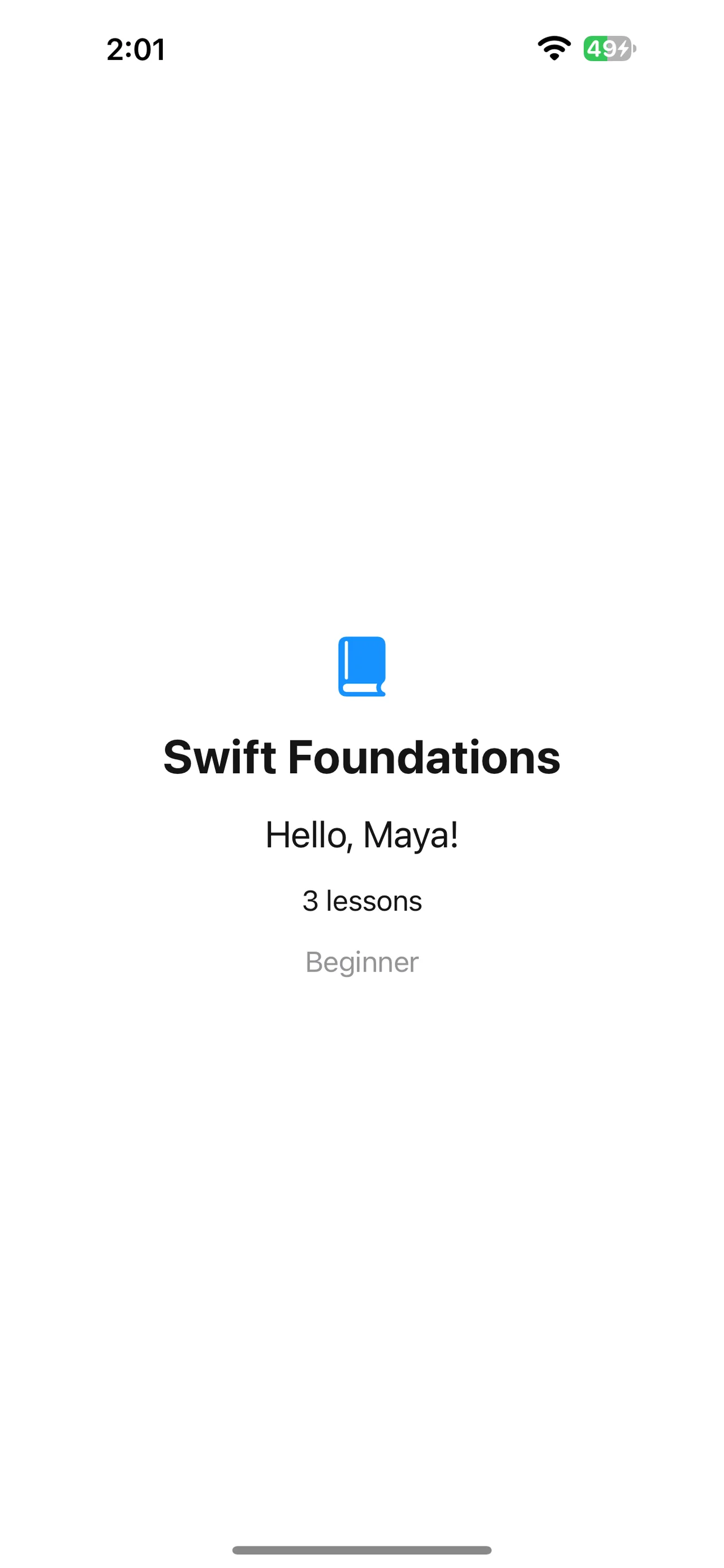
A successful build does not prove correct logic. For the valid sample, the screen should read Hello, Maya!, 3 lessons and Beginner. A different greeting can be a data or logic issue even when compilation succeeds.
Investigate a running app with a breakpoint
For code that compiles but behaves incorrectly, set a breakpoint in the source gutter on an executable line such as the greeting function. Run under Xcode’s debugger and trigger the relevant flow. When execution pauses, inspect the argument and call stack before stepping onward.
Keep expressions used for inspection free of side effects. Remove or disable the breakpoint when finished. This paragraph is a guided debugger exercise; the screenshot above verifies normal app output, not a paused debugging session.
Debug a wrong result that still compiles
A compiler error is one kind of failure; a wrong but valid result is another. Suppose a shopping cart has three items but its summary says two. Start with a small reproducible input and a written expected result. Trace the value entering the formatting function before adding logging everywhere or changing unrelated configuration.
func cartSummary(count: Int) -> String {
    "\(count) items"
}
let actual = cartSummary(count: 3)
assert(actual == "3 items")
This independent exercise has one input and one output. If a real view still shows two, ask whether it passed two, computed a stale value, or displays a different property. Put a breakpoint at the formatting call or inspect a harmless expression at the paused location. Do not evaluate an expression with side effects just to inspect it.
Verify the fix at the same level as the bug
A corrected constant declaration needs compilation. A corrected summary needs an expected-output check. A fixed interactive update needs the relevant interaction. The earlier intentional compiler diagnostic proves its particular failure and correction; it does not demonstrate every runtime debugging tool. Keep the reproduction small enough that you can say exactly what changed and why the result is now right.
Diagnose before changing code
Predict what happens if a let count is assigned twice, then choose a correction. Separately, consider a screen showing the wrong name with no compiler errors.
Worked answer
Use var only when reassignment is intended. For the wrong name, inspect the value passed into greeting(for:) and verify the selected app and saved source. Reinstalling tools or changing signing would not explain a deterministic string-input mistake.
Download SwiftFoundations. Open SwiftFoundations.xcodeproj, choose your destination and build. A physical iPhone requires your own development team; a simulator does not.
Check your understanding
Choose the explanation that matches this example.
Verify the correction at the right level
A compiler error needs a successful rebuild. A logic problem needs an expected-result check. A deployment problem needs installation and launch evidence. Keep those checks separate.
Continue with Swift values and strings to understand the data behind this app.
Reaching the recap and completing the quizzes are separate milestones.