
Async Tasks and Cancellation in SwiftUI
Cancel an obsolete search and complete the next one
Use a deterministic local search to see suspension, cancellation and a successful result. The full app records both outcomes instead of claiming a normal screenshot proves cancellation.
Start with the small worked operation, follow its decisions, then open the matching complete Xcode checkpoint. It includes the exact source used for the screenshot. The examples use local fixtures so you can inspect behavior without an account or server.
Trace a search result and its cancellation boundary
When a person changes a search query, an earlier query may no longer be useful. An asynchronous function lets its caller suspend while waiting. Cancellation asks the work to stop, but the work must cooperate. It does not forcibly terminate arbitrary computation or automatically undo previous mutations.
func searchPlaces(_ query: String) async throws -> [String] {
    try await Task.sleep(for: .milliseconds(150))
    try Task.checkCancellation()
    return ["Library", "Lake"].filter { $0.hasPrefix(query) }
}
let previousSearch = Task { try await searchPlaces("L") }
previousSearch.cancel()
do {
    _ = try await previousSearch.value
    assertionFailure("Expected cancellation")
} catch is CancellationError {
    // The superseded operation is no longer needed.
}
let results = try await searchPlaces("Lib")
assert(results == ["Library"])
The sleep is a deterministic local stand-in, not network access. It suspends and observes cancellation. The explicit check prevents returning the fixture after cancellation is observed at that point. The second query completes normally and selects Library.
Cancellation and stale-result protection are related, not identical
A real search service may finish just before cancellation or represent cancellation with a different error. Associate results with the active query or request identity before publishing them to the interface. In SwiftUI, task(id:) can tie work to a changing input and request cancellation when that identity changes; that still does not justify ignoring a service’s contract.
Use MainActor-isolated presentation state where appropriate, keep expensive synchronous work out of the UI path and avoid assuming that async means “runs on a background thread.” Later networking and state lessons build a full loading/error/search interface. This example isolates suspension and cancellation so their behavior can be checked without a server.
Run the complete scenario on iPhone
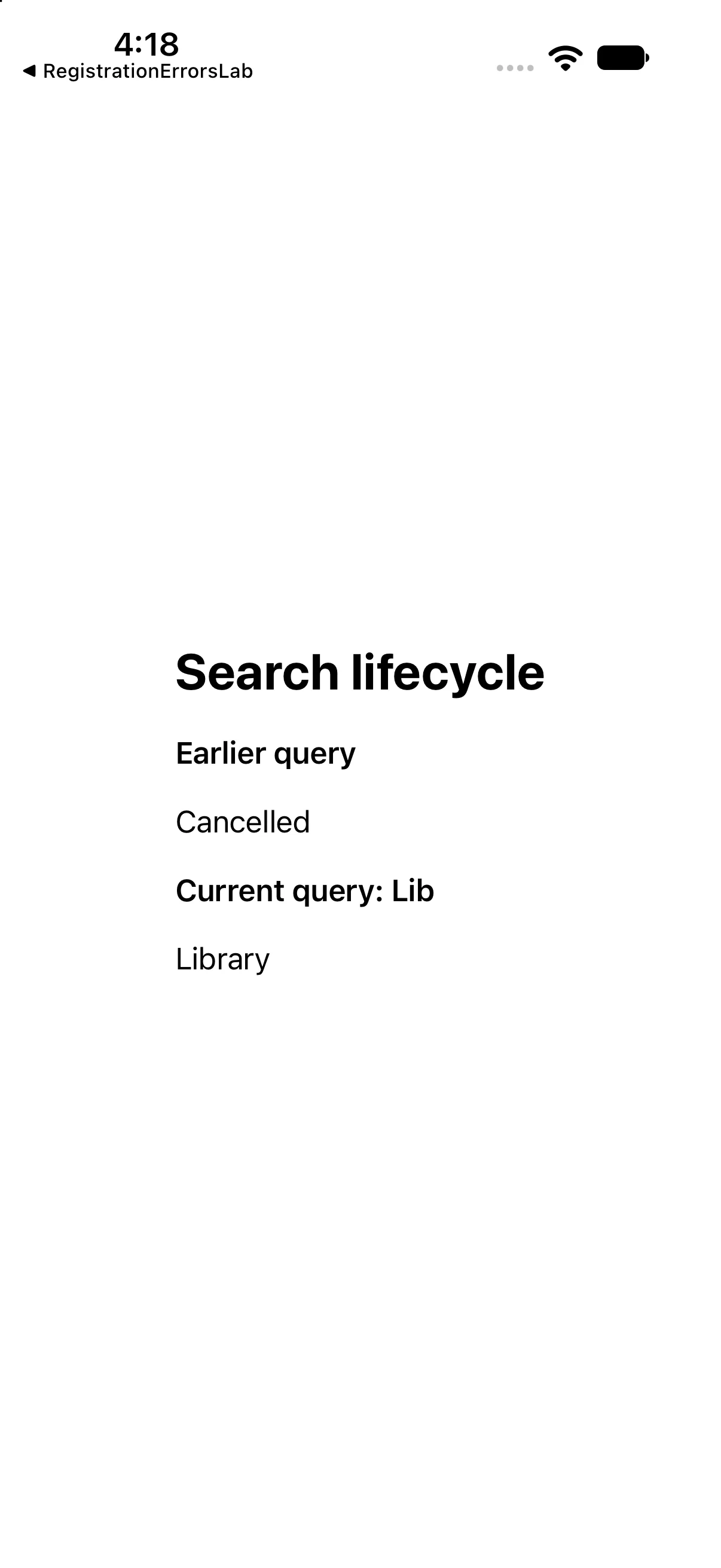
The interface below calls the operations discussed above and presents their results. This is a dedicated example for this lesson, not the greeting app used in the first revision. Replace ContentView.swift in the downloadable project with this complete source if reproducing it by hand.
import SwiftUI

func searchPlaces(_ query: String) async throws -> [String] {
 try await Task.sleep(for: .milliseconds(150))
 try Task.checkCancellation()
 return ["Library", "Lake"].filter { $0.hasPrefix(query) }
}

struct ContentView: View {
 @State private var previousStatus = "Waiting"
 @State private var results: [String] = []
 var body: some View {
 VStack(alignment: .leading, spacing: 18) {
 Text("Search lifecycle").font(.title).bold()
 Text("Earlier query").font(.headline)
 Text(previousStatus)
 Text("Current query: Lib").font(.headline)
 ForEach(results, id: \.self) { Text($0) }
}.padding(24)
.task {
 let old = Task { try await searchPlaces("L") }
 old.cancel()
 do { _ = try await old.value; previousStatus = "Unexpected completion" }
 catch is CancellationError { previousStatus = "Cancelled" }
 catch { previousStatus = "Other failure" }
 do { results = try await searchPlaces("Lib") }
 catch { results = ["Could not load"] }
}
 }
}

#Preview { ContentView() }
Download this complete checkpoint project. The code above replaces ContentView.swift in this project; its app entry point is already included.
Apply the idea to a new case
Change the second query from Lib to La. Predict the new successful result while leaving cancellation intact.
Worked answer
The second result is Lake. The earlier task still reports cancellation. Removing cancellation changes the first path, not the prefix-matching rule. The example uses case-sensitive fixture matching and no network.
This exercise is a proposed change; the screenshot shows the supplied baseline. Predict the outcome before running and restore the baseline when comparing against the capture.
Explain the behavior
Choose the explanation that follows from the worked example.
What to take into the next lesson
You observed a cooperatively cancelled search and a separate successful result, and identified the need for deliberate result-publication rules. Next, compose interfaces in SwiftUI Foundations.
Reaching the recap and completing the quizzes are separate milestones.