
Share Editable Values with SwiftUI Binding
Share Editable Values with SwiftUI Binding
A settings screen owns a reminder preference, while a reusable child renders the toggle. Both the parent summary and child summary must agree immediately. Pass access to the existing value instead of creating a second independent copy.
You will learn: Distinguish ownership from editable access; pass a projected State binding; connect a child Binding to a Toggle; diagnose duplicated state.
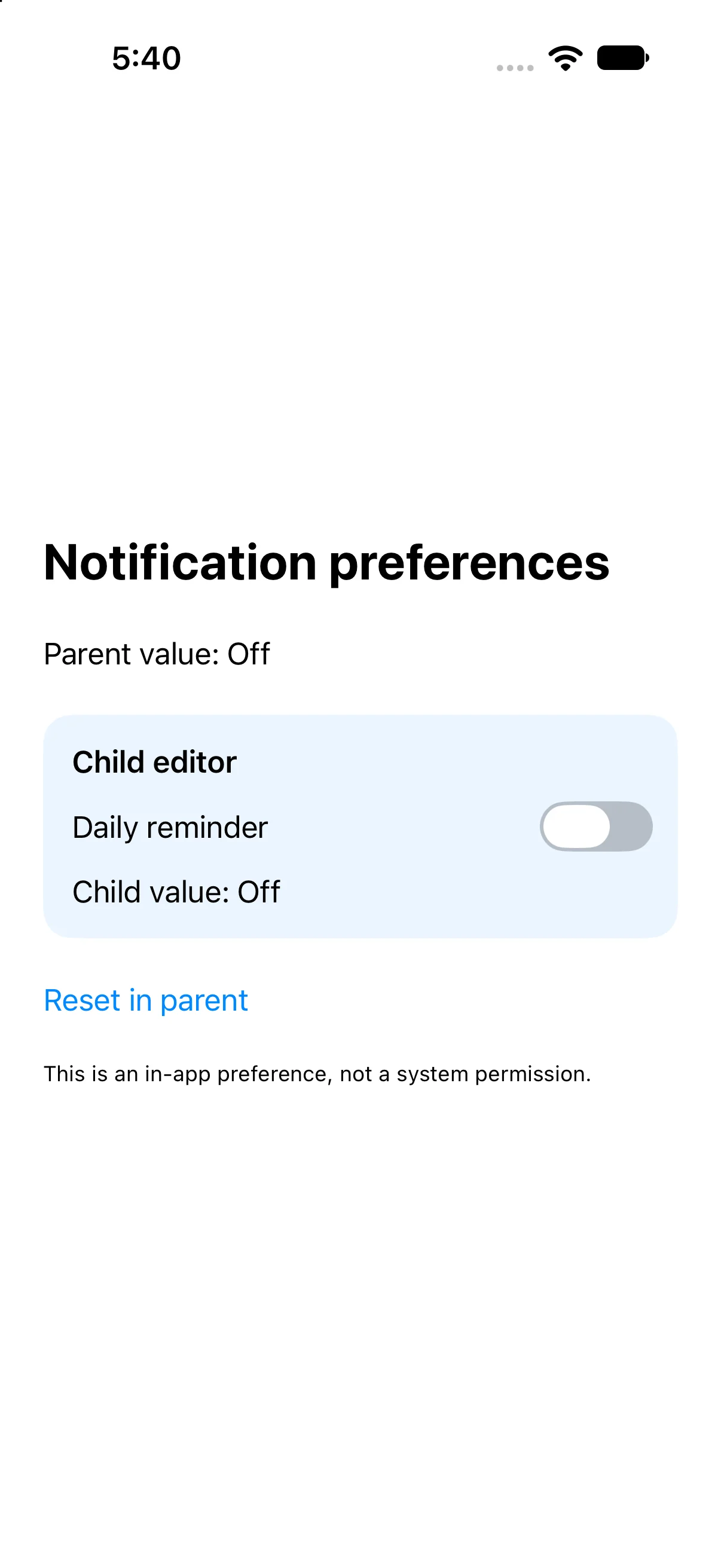
Prerequisites: the earlier SwiftUI Foundations lessons and Swift values/closures. These projects use the installed iOS SDK and local in-memory fixtures. They do not modify personal data or contact a server. The screenshot shows the initial screen before the interaction sequence.
Keep one owner and pass access to it
The parent declares @State private var remindersEnabled = false. It creates the value and can reset it. The child declares @Binding var isEnabled: Bool. A binding is a read/write connection to storage owned elsewhere; it does not own a second persistent copy.
ReminderEditor(isEnabled: $remindersEnabled)
// In ReminderEditor:
@Binding var isEnabled: Bool
The dollar prefix projects the State wrapper’s binding. Passing remindersEnabled without the dollar would pass its current Bool value, which does not satisfy a Binding parameter. The two parameter names need not match: the connection comes from the supplied binding, not from spelling them alike.
Pass the binding on to a system control
Toggle also needs a Binding<Bool>, so the child passes $isEnabled. Reading isEnabled gives the current Bool for its status label. A toggle edit writes through to the parent’s storage; the parent’s status then reflects that new value.
Toggle("Daily reminder", isOn: $isEnabled)
Text("Child value: \(isEnabled ? "On" : "Off")")
This small component demonstrates two-way value flow. A complex feature may be clearer with explicit actions and a model instead of distributing writable access widely. Bind only the value a child is responsible for editing, rather than handing it an entire unrelated state graph.
Recognize the independent-copy mistake
Replacing the child binding with @State initialized from the parent creates a different ownership model. The child would own its own local value, so a later parent reset would not automatically overwrite that independent state. That can be correct for a draft editor with explicit Save and Cancel, but it is wrong for an immediately shared toggle.
Ask the product question first: should every change apply immediately, or should it remain a local draft until confirmation? Immediate editing fits a binding. A draft often fits local state plus a callback or explicit commit operation. The sheets lesson uses that second design for a draft title.
Do not confuse an in-app preference with OS authorization
The switch here changes only an in-memory Bool. It does not request notification permission, schedule a notification or modify iPhone Settings. Its label describes the teaching preference, and the footnote makes the boundary visible.
A production notification feature must reconcile the app’s preference with system authorization and handle denial. Binding does not supply that integration. Keeping this example local makes the ownership relationship easy to inspect without changing device settings.
Build the complete example
Download the NotificationBinding Xcode project. Open NotificationBinding.xcodeproj, select an installed compatible iPhone simulator, and run. The app entry point already presents ContentView. The complete ContentView.swift below is the exact built source; earlier snippets are explanatory excerpts.
import SwiftUI

struct ContentView: View {
@State private var remindersEnabled = false
 var body: some View {
VStack(alignment: .leading, spacing: 24) {
 Text("Notification preferences").font(.title).bold()
 Text("Parent value: \(remindersEnabled ? "On" : "Off")")
 ReminderEditor(isEnabled: $remindersEnabled)
 Button("Reset in parent") { remindersEnabled = false }.accessibilityIdentifier("resetPreference")
 Text("This is an in-app preference, not a system permission.").font(.caption)
}.padding(24)
 }
}

struct ReminderEditor: View {
 @Binding var isEnabled: Bool
 var body: some View {
  VStack(alignment: .leading, spacing: 12) {
   Text("Child editor").font(.headline)
   Toggle("Daily reminder", isOn: $isEnabled).accessibilityIdentifier("reminderToggle")
   Text("Child value: \(isEnabled ? "On" : "Off")")
  }.padding().background(.blue.opacity(0.08), in: RoundedRectangle(cornerRadius: 16))
 }
}

#Preview { ContentView() }
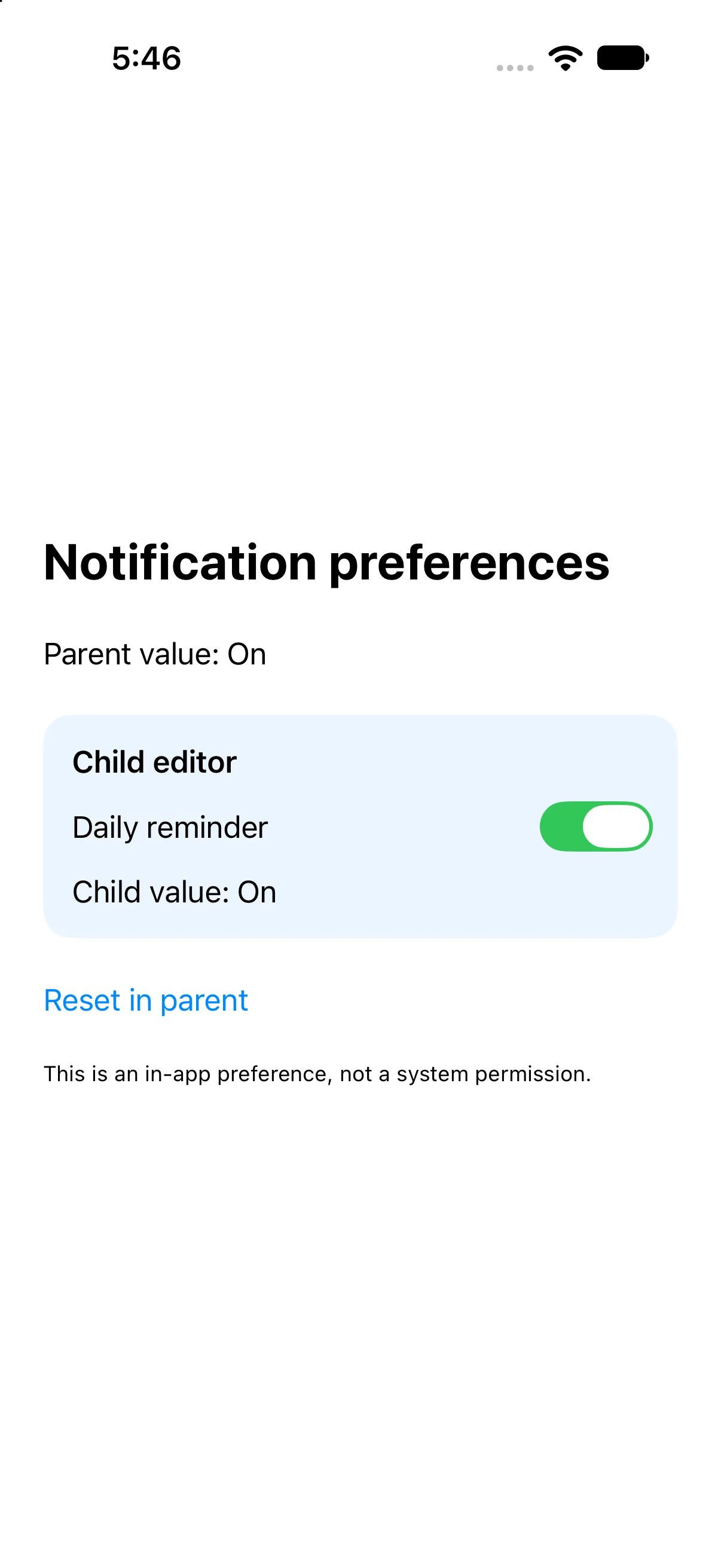
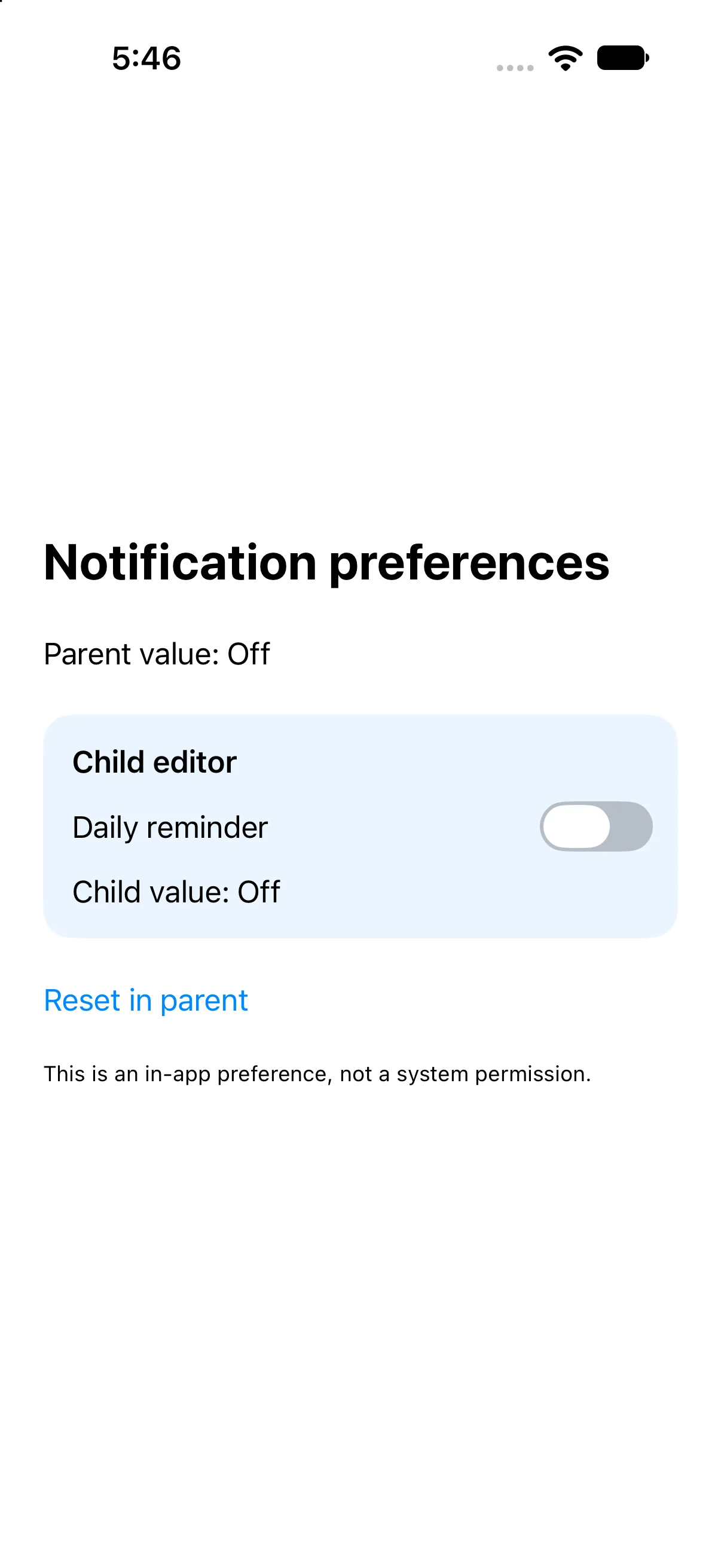
Accessibility identifiers in the file provide stable names for local automation; they are not visible menu labels. #Preview is an editor convenience. The following screenshots come from the launched app after actual automated control interactions.
Edit the parent value through the child
Turn on Daily reminder in the child. Both Parent value and Child value become On. The automation activates the child’s real switch and checks the two visible summaries, demonstrating a write through the binding.
Observe a parent change in the child
Press Reset in parent. Both summaries return to Off and the child reflects the parent-owned change. This reverse-direction test catches the common mistake of creating an independent child State copy.
Check a failure at the right boundary
If your output differs, compare the current input values and the relevant action before changing project settings. Save the complete source, confirm the selected scheme and destination, and inspect the first build diagnostic if compilation fails. A successful build establishes valid source; the action-result checks establish the particular UI transitions shown here.
Practice variations below are proposed changes, not additional captured states. Keep input validation, state ownership and presentation decisions explicit as you extend the project.
Try a new case and explain the result
Add a second child editor connected to the same parent binding. Predict what happens when either toggle changes.
Worked answer
Both children read and write the same owned Bool, so both summaries and toggles agree. If they are meant to represent different preferences, give the parent a second value rather than accidentally passing the same binding twice. Sharing storage is a design choice, not a consequence of using the same reusable view type.
Check your understanding
Choose the explanation that follows from the worked example.
What to take forward
You separated ownership from access and verified changes in both directions. Next, combine bindings with text input, validation and keyboard focus.
Reaching the recap and completing the quizzes are separate milestones.