
How to Turn Off Raise to Wake on iOS 27
Disable Raise to Wake in Display & Brightness so lifting your iPhone does not wake its screen.
Step 1
Open Settings from the Home Screen
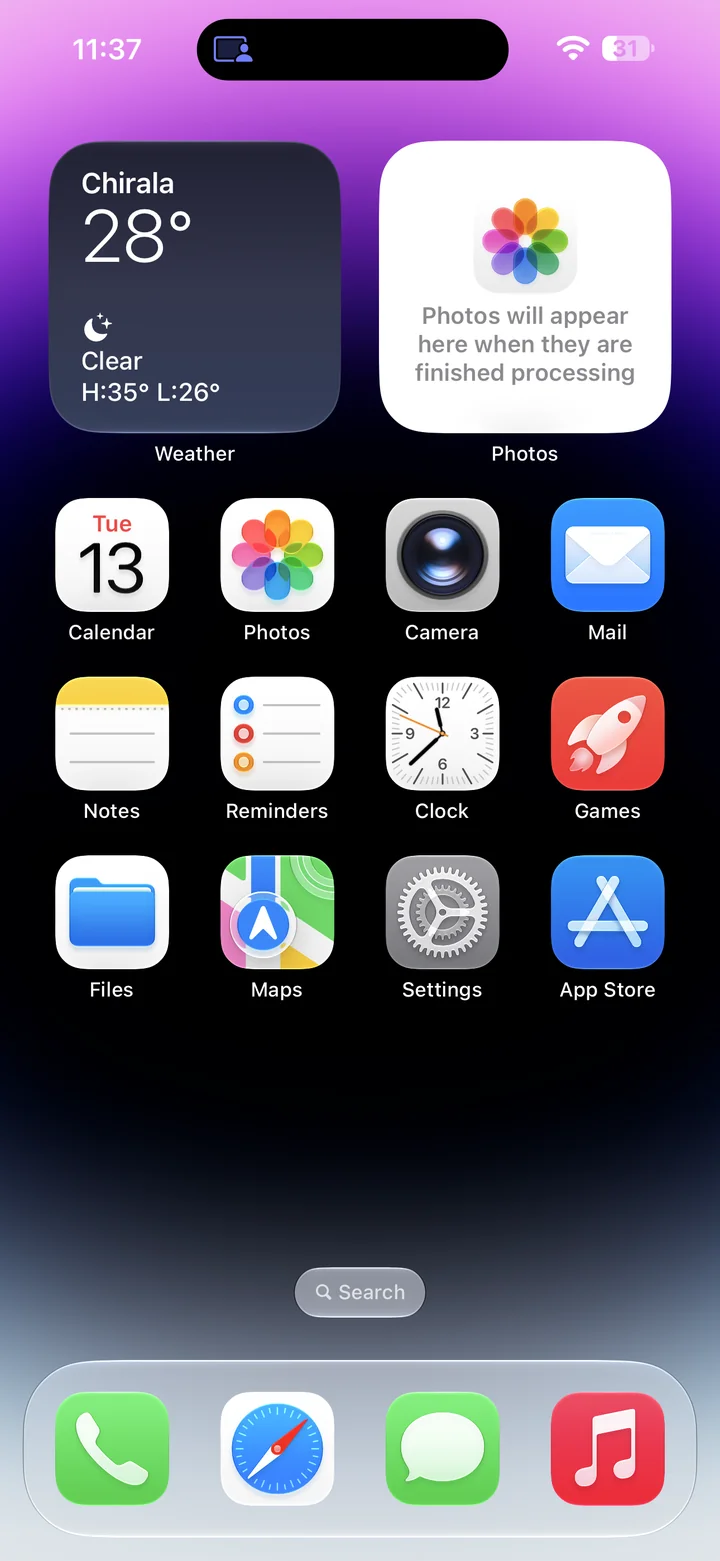
Before you begin: An unlocked iPhone running iOS 27.
Find and tap the Settings app on your Home Screen. Its icon looks like a gray gear.
Step 2
Open Display & Brightness
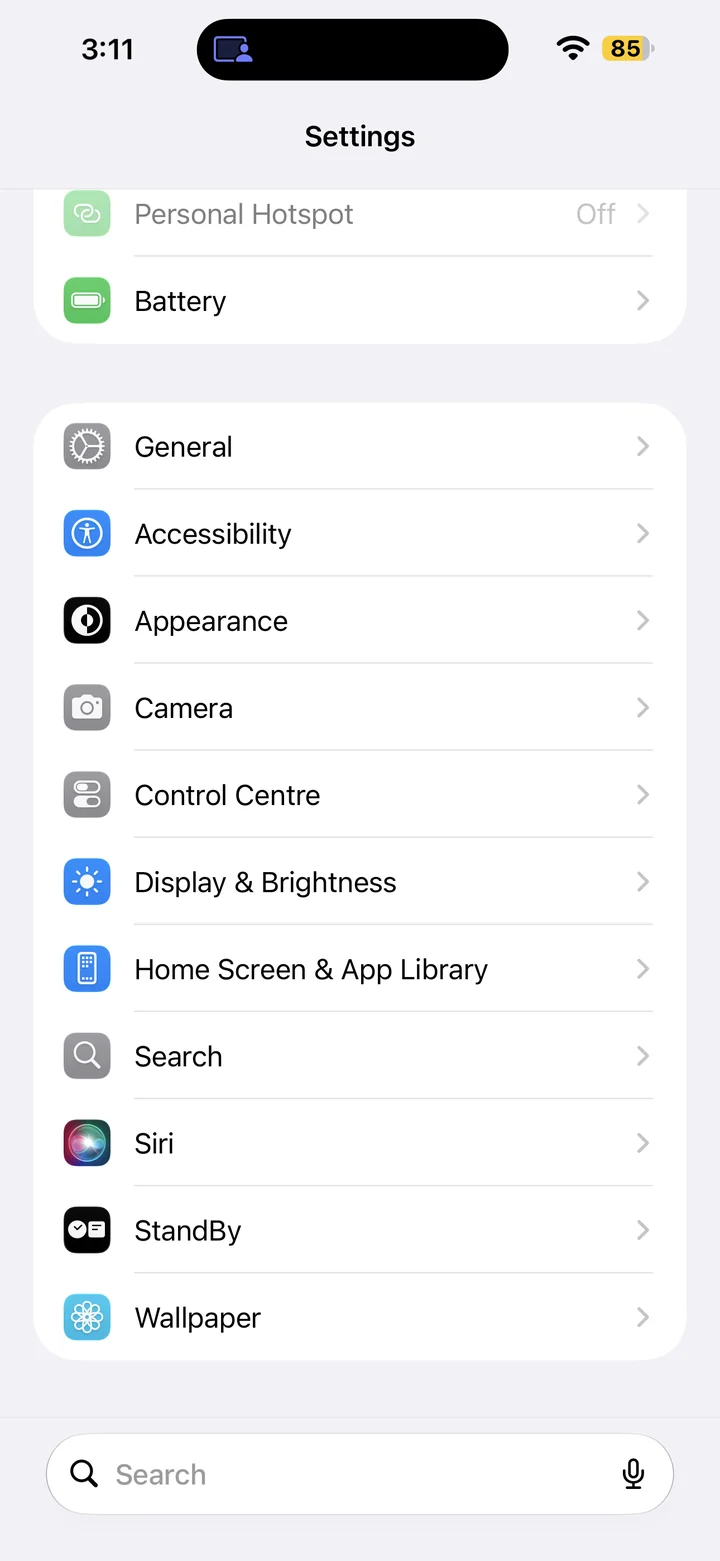
In Settings, scroll if needed and tap Display & Brightness.
Step 3
Turn off Raise to Wake
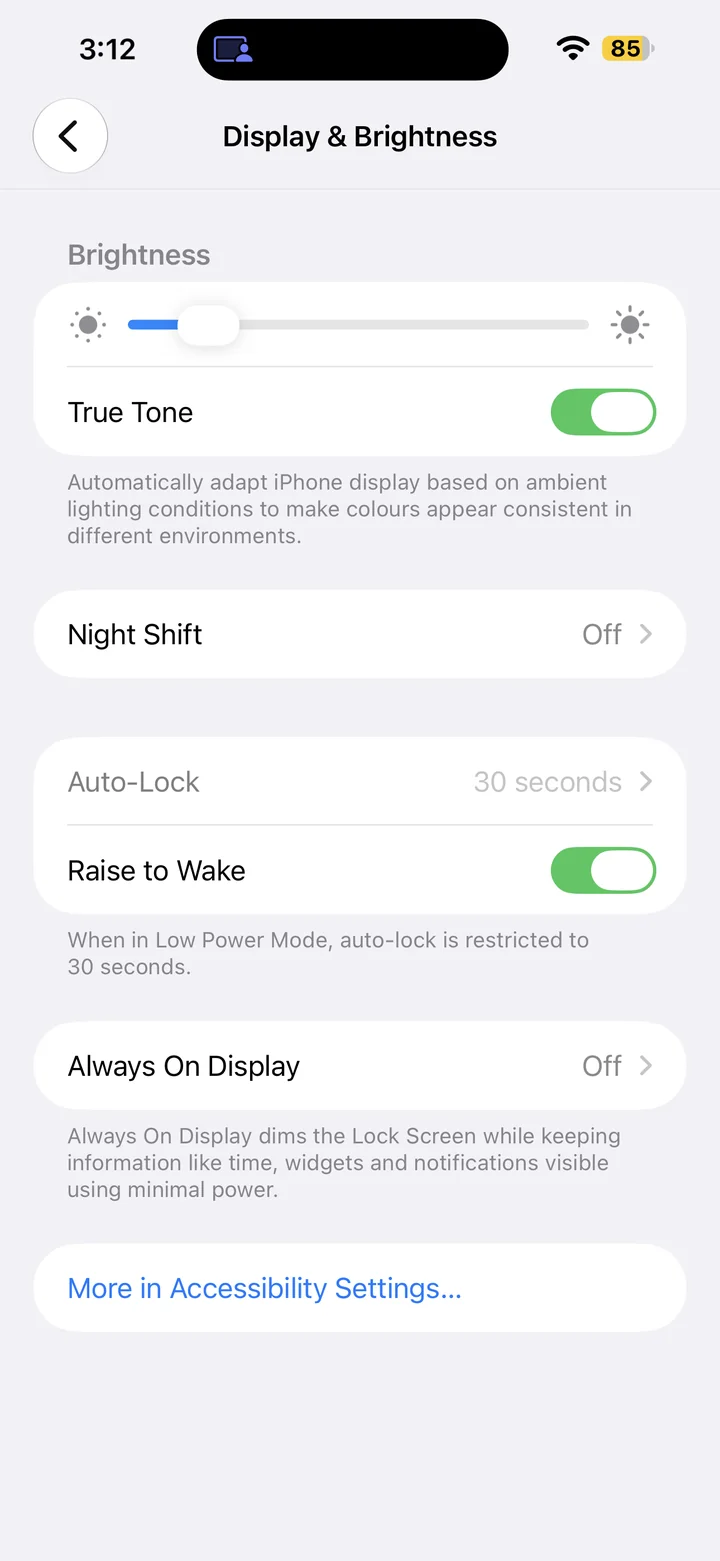
Turn Raise to Wake off. If it is already off, leave it off. Lifting your iPhone will no longer wake the screen.
You can still press the side button to wake the display. Tap to Wake is a separate setting on supported models.
Reference
By ProgramGuru
Published: 2026-10-14
Updated: 2026-10-14
Instructions reviewed against Apple documentation on 2026-10-14.