
How to Open Universal Link Diagnostics on iOS 27
Open Universal Link Diagnostics in iPhone Developer settings and find the URL field for investigating associated domain issues.
Step 1
Open Settings from the Home Screen
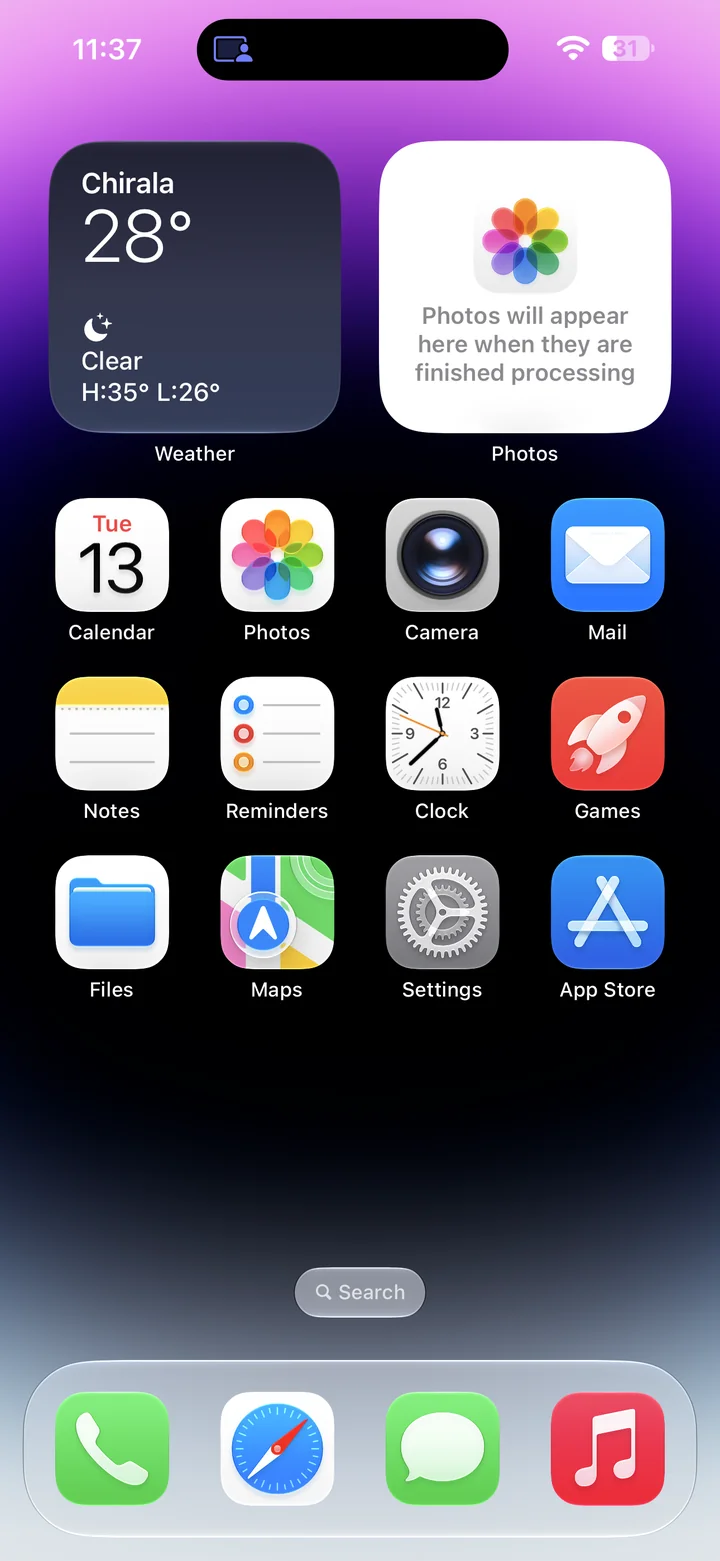
Before you begin: An unlocked iPhone running iOS 27, paired with Xcode, with Developer Mode enabled and Developer visible in Settings.
Find and tap the Settings app on your Home Screen. Its icon looks like a gray gear.
Step 2
Open Developer in Settings
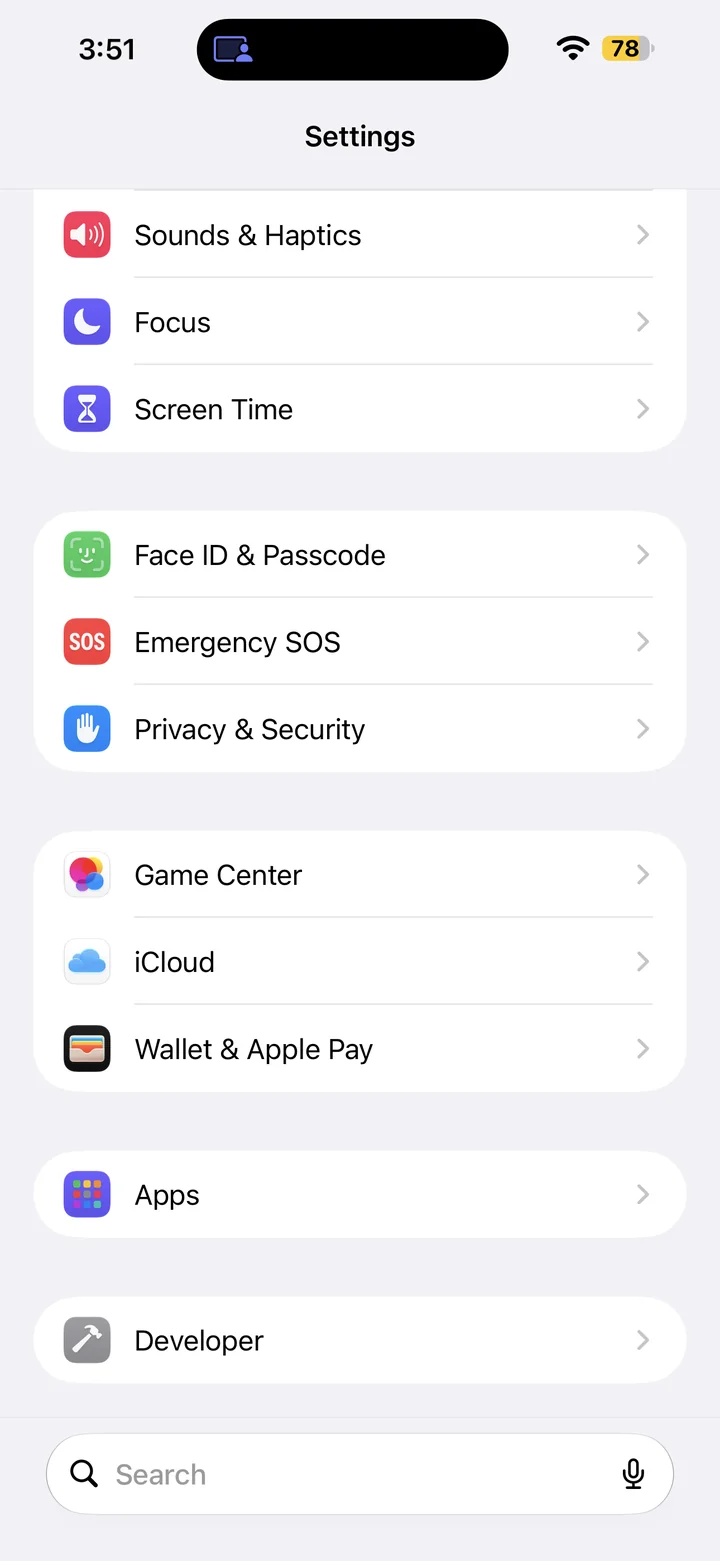
In Settings, scroll down and tap Developer.
Step 3
Open Diagnostics
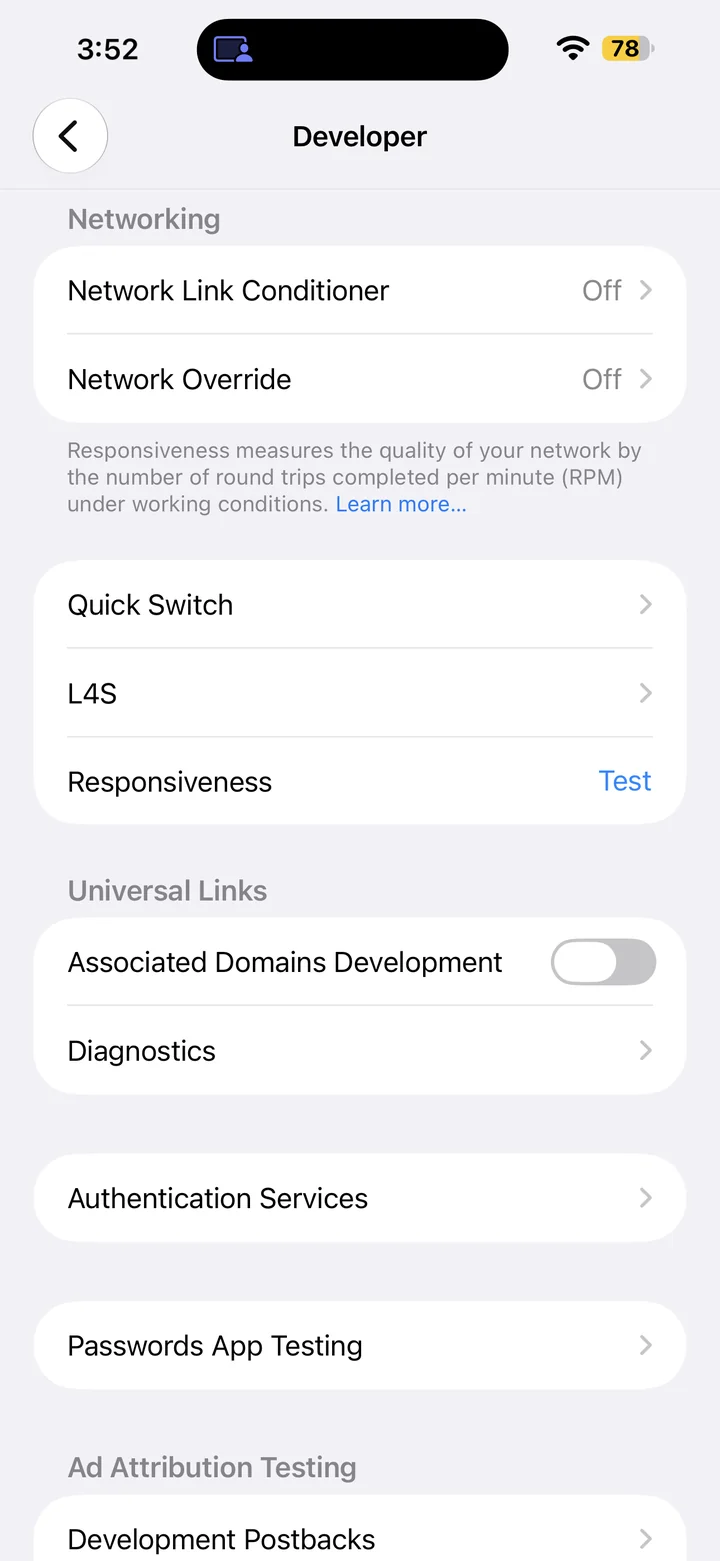
Scroll to Diagnostics.
Step 4
Find the Universal Link URL field
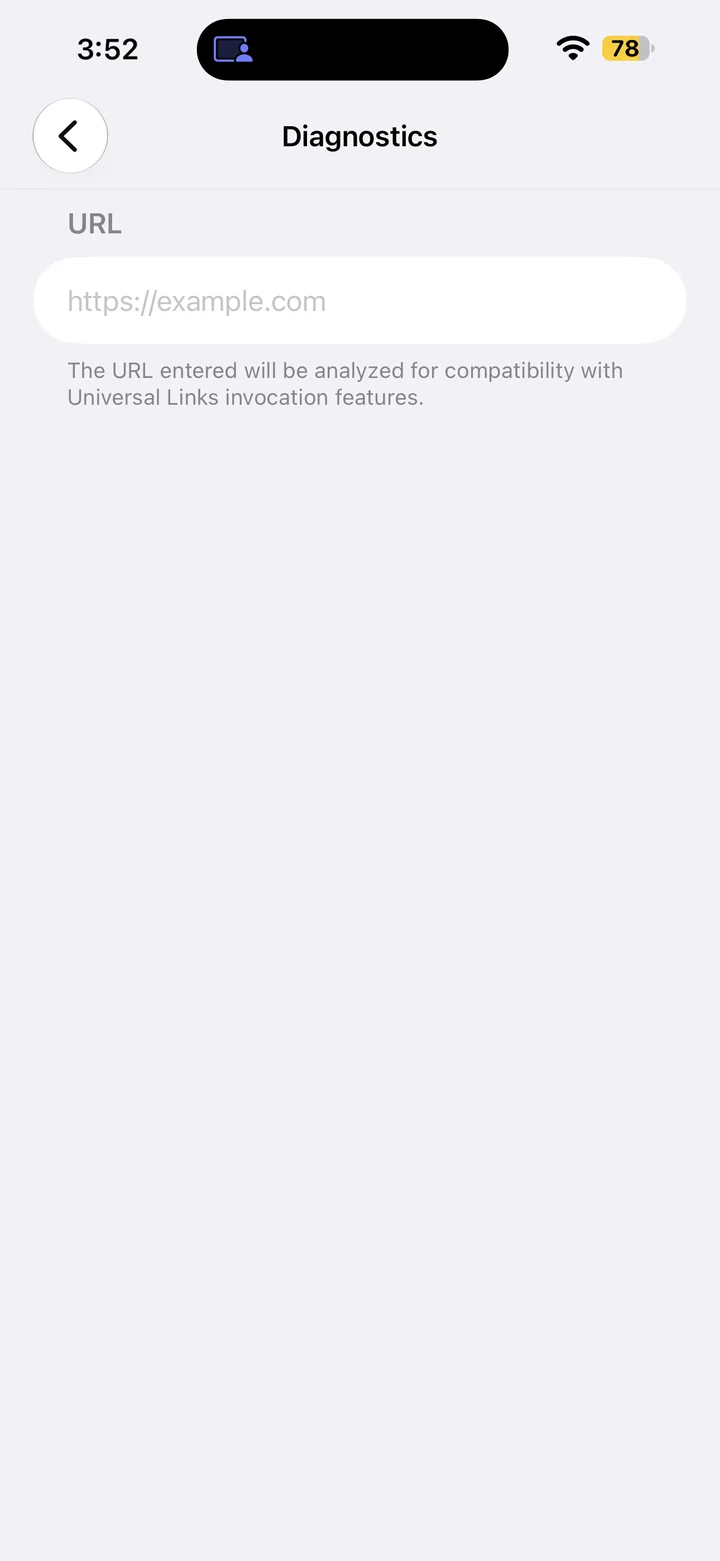
The Diagnostics screen provides a URL field for checking Universal Link compatibility. Enter the complete URL you want to investigate.
Reference
By ProgramGuru
Published: 2026-10-14
Updated: 2026-10-14
Instructions reviewed against Apple documentation on 2026-10-14.