
How to Change Screen Brightness on iOS 27
Adjust the brightness slider in Settings > Display & Brightness to make your iPhone screen brighter or dimmer.
Step 1
Open Settings from the Home Screen
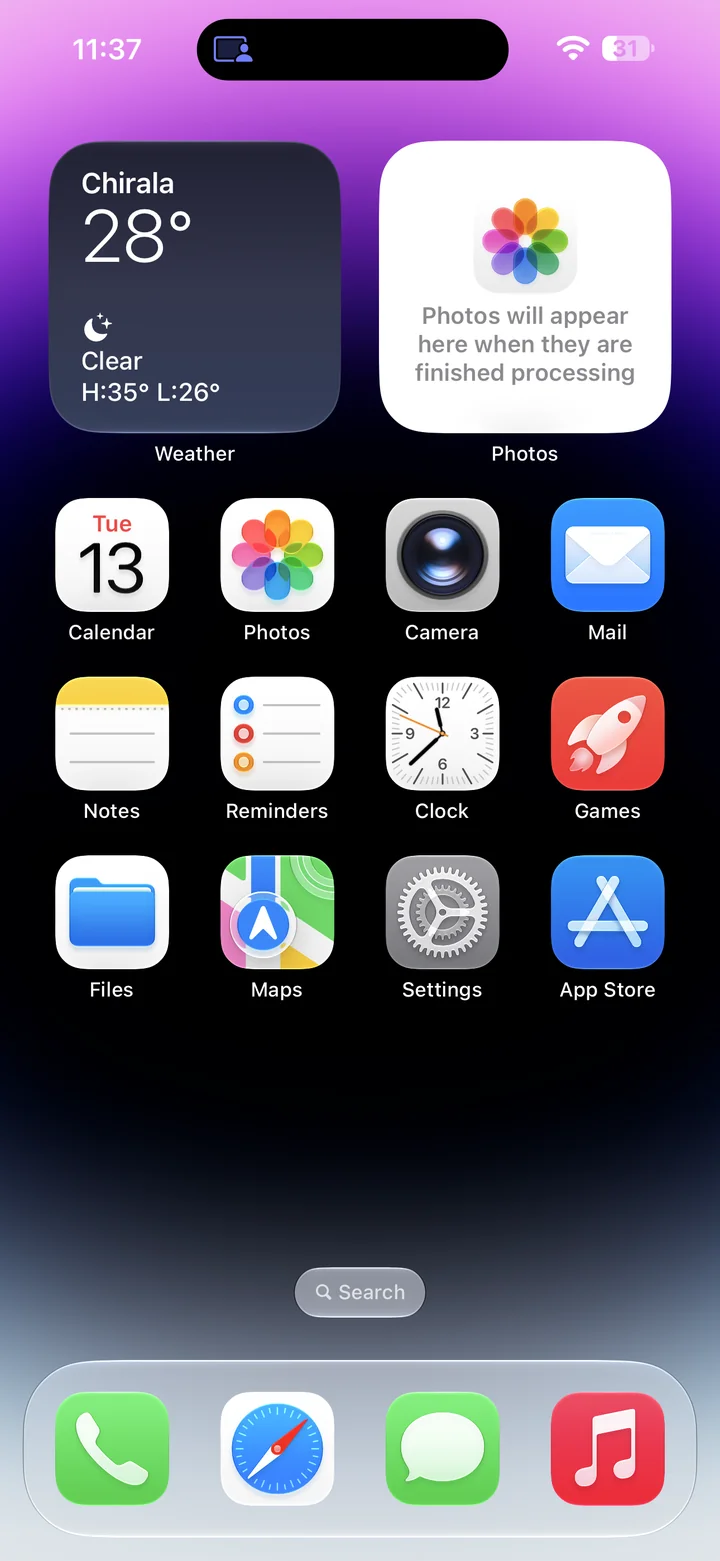
Before you begin: An unlocked iPhone running iOS 27.
Find and tap the Settings app on your Home Screen. Its icon looks like a gray gear.
Step 2
Open Display & Brightness
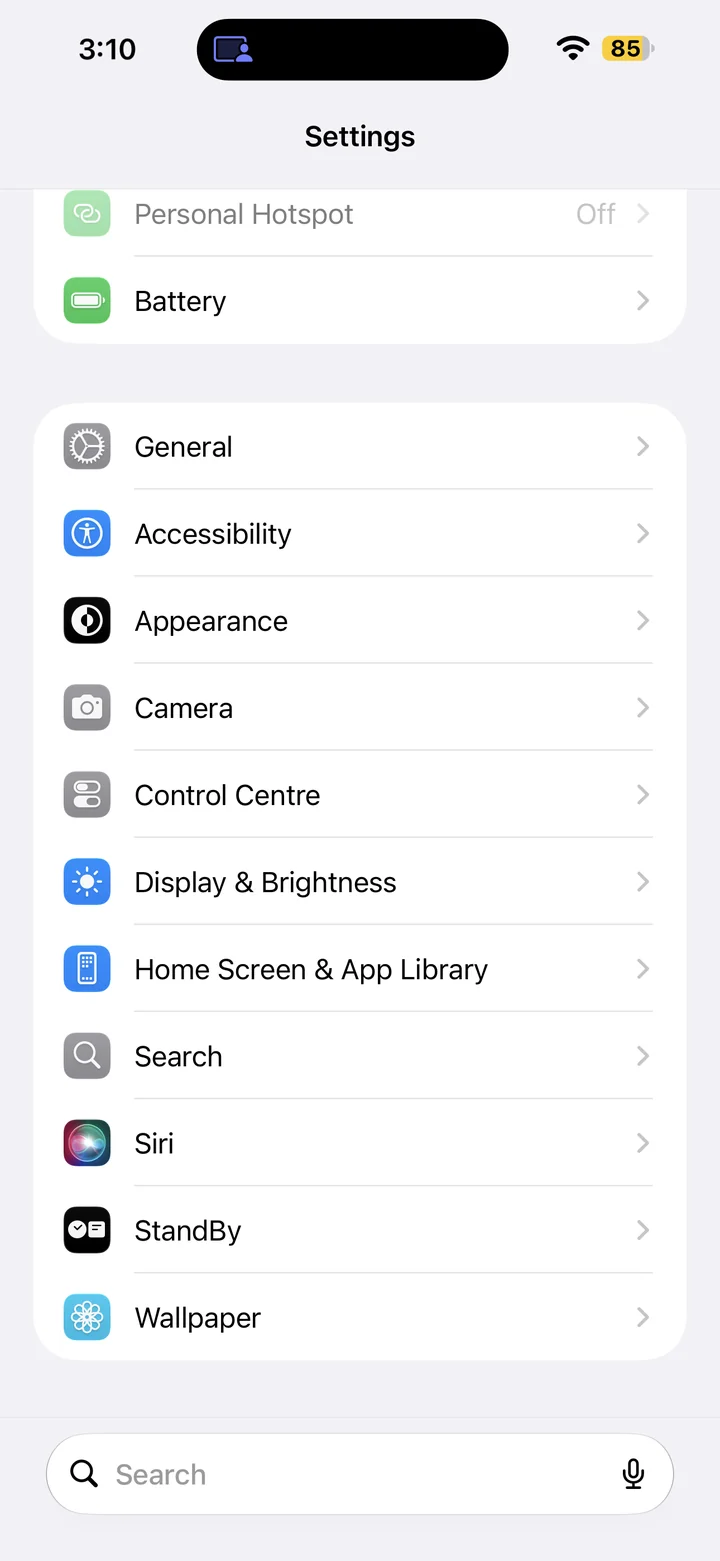
In Settings, scroll if needed and tap Display & Brightness.
Step 3
Adjust the brightness slider
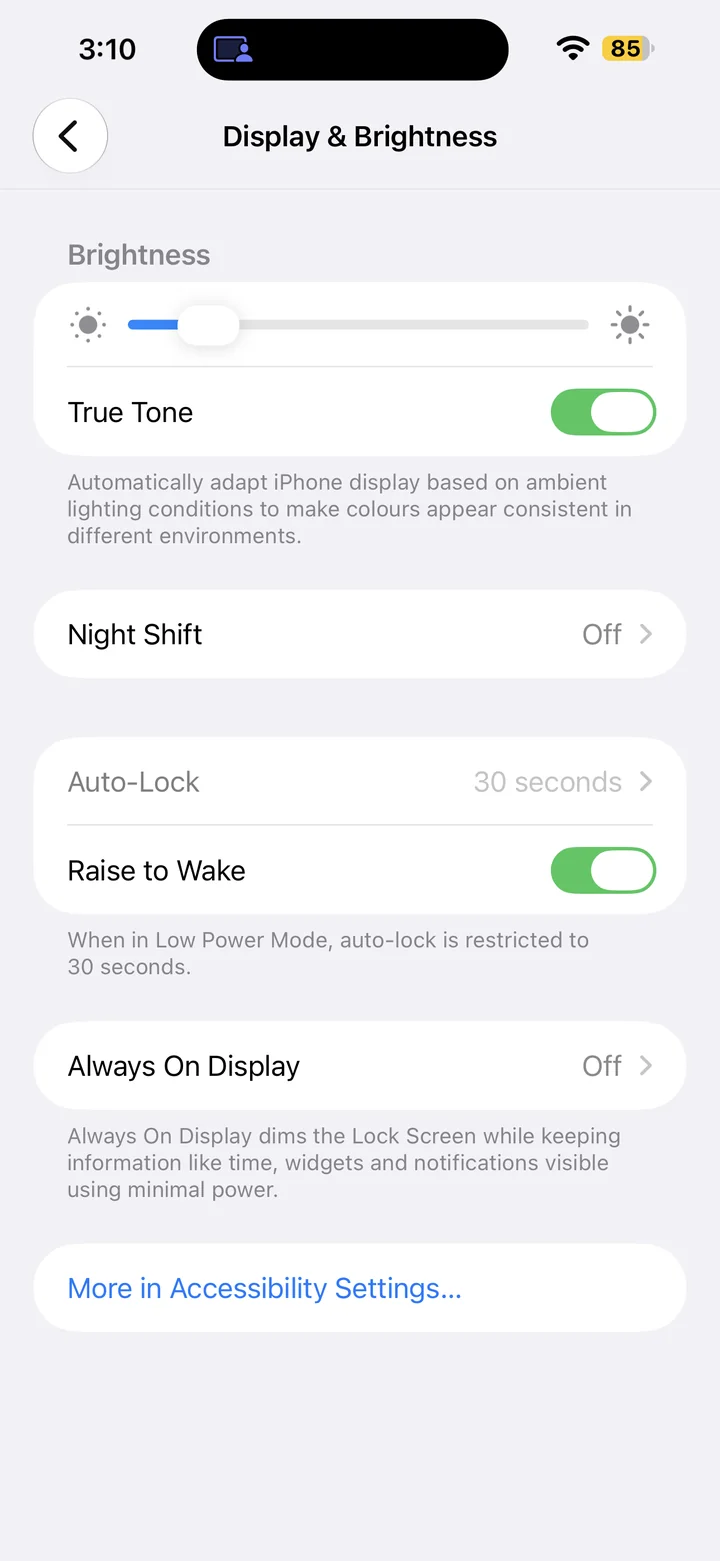
Drag the brightness slider right to brighten the screen or left to dim it. Choose a comfortable level for your surroundings.
Reference
By ProgramGuru
Published: 2026-10-14
Updated: 2026-10-14
Instructions reviewed against Apple documentation on 2026-10-14.