
How to Enable Bold Text on iOS 27
Use Bold Text in Settings > Appearance to make supported interface text easier to read.
Step 1
Open Settings from the Home Screen
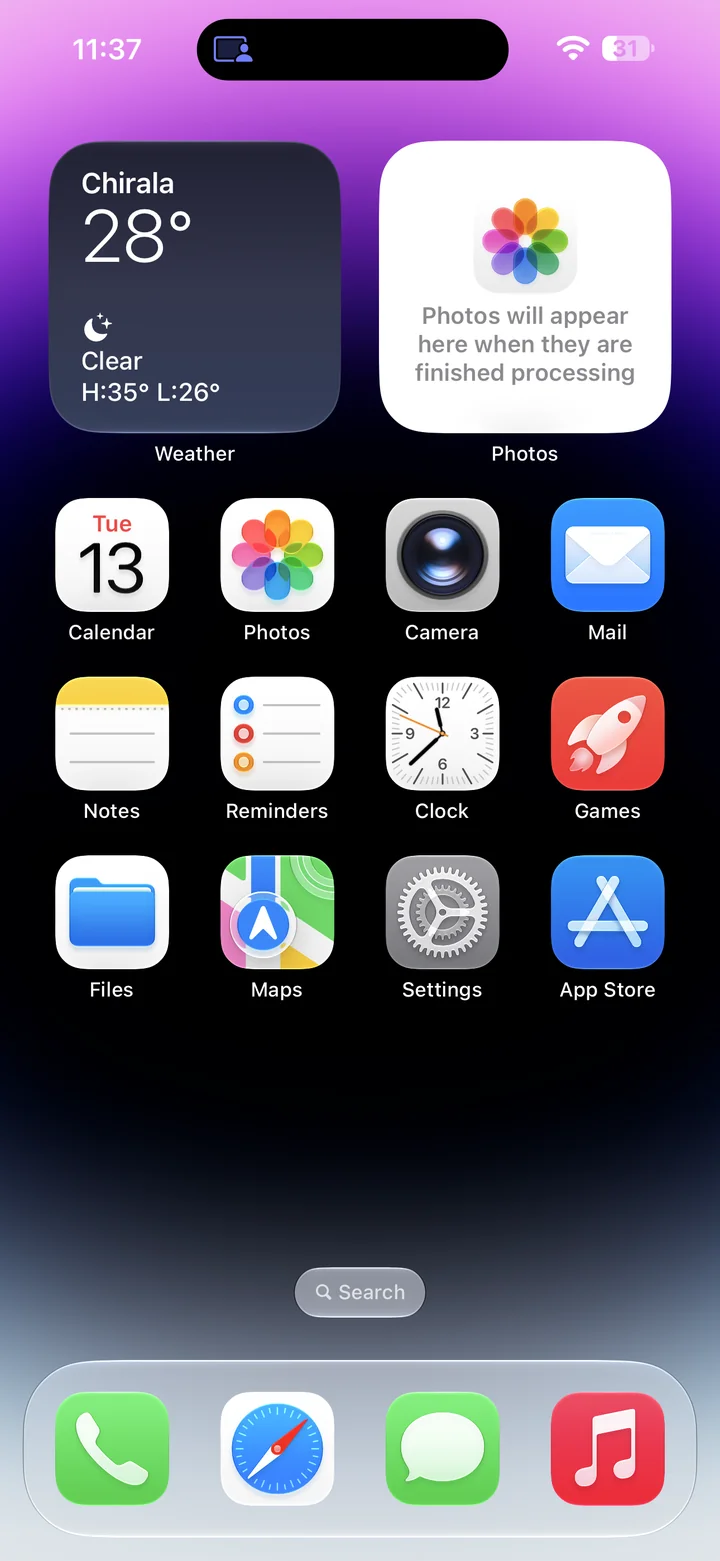
Before you begin: An unlocked iPhone running iOS 27.
Find and tap the Settings app on your Home Screen. Its icon looks like a gray gear.
Step 2
Open Appearance
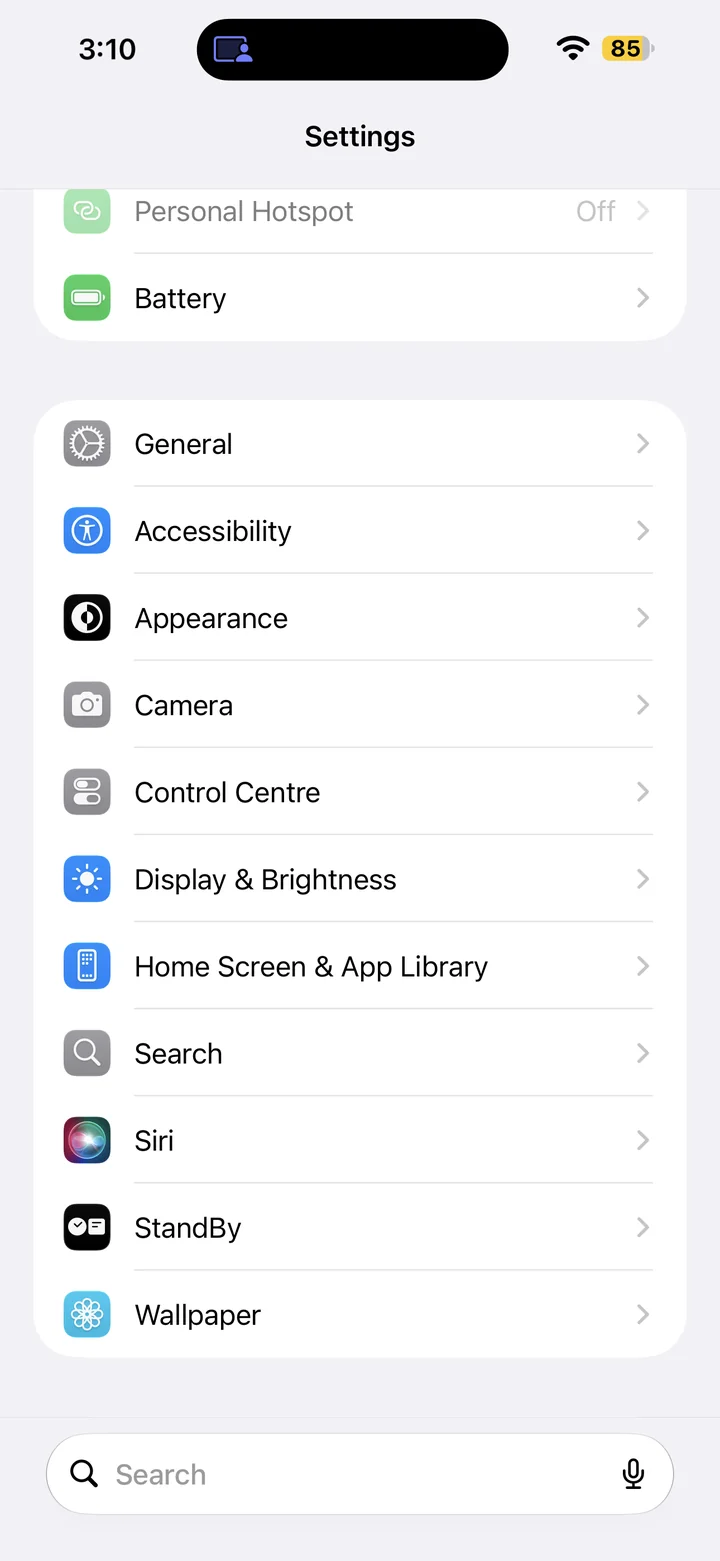
In Settings, scroll if needed and tap Appearance.
Step 3
Turn on Bold Text
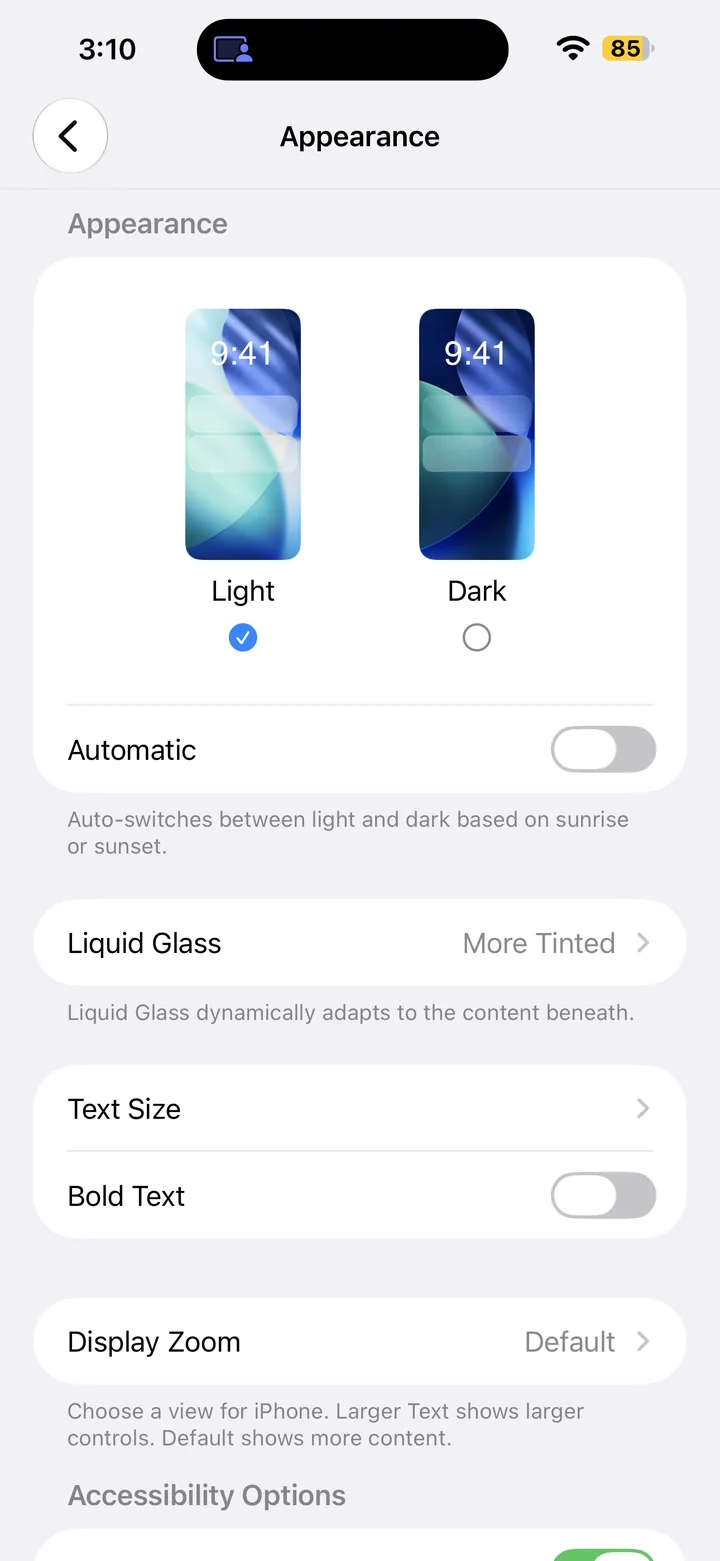
Turn Bold Text on to make supported interface text heavier. If it is already on, leave it enabled. You can turn it off here whenever you prefer regular text.
Reference
By ProgramGuru
Published: 2026-10-14
Updated: 2026-10-14
Instructions reviewed against Apple documentation on 2026-10-14.