
HTML Text Formatting Tags
HTML Text Formatting: Shape Your Words with Intention
Text is more than content — it's communication. HTML gives you the tools to structure, highlight, and emphasize your words. Whether you're writing a headline or inserting a line break, knowing the right tags lets your message shine through with clarity.
Headings: Building a Visual Hierarchy
Headings help organize your content into sections. HTML provides six levels of headings — from <h1> (most important) to <h6> (least).
<h1>Welcome to My Fruit Blog</h1>
<h2>Popular Fruits</h2>
<h3>Apple</h3>
<h4>Banana</h4>
<h5>Cherry</h5>
<h6>More Coming Soon</h6>
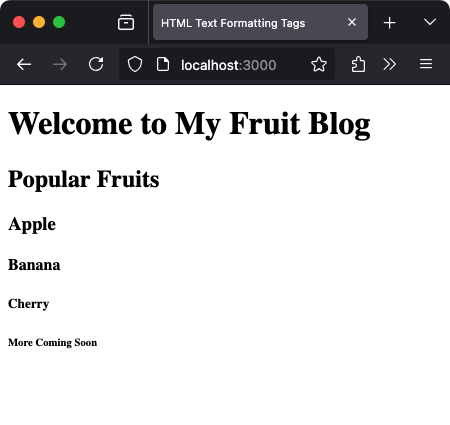
Use them in order. Don’t jump from <h1> to <h4> without reason. It affects both readability and SEO.
Paragraphs: Breaking Your Thoughts
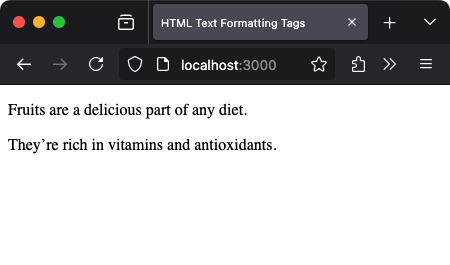
The <p> tag creates a block of text — a paragraph. It automatically adds space before and after the content.
<p>Fruits are a delicious part of any diet.</p>
<p>They’re rich in vitamins and antioxidants.</p>
Line Breaks: Inserting a New Line
Need to break a line without starting a new paragraph? Use <br>.
<p>Apple<br>Banana<br>Cherry</p>
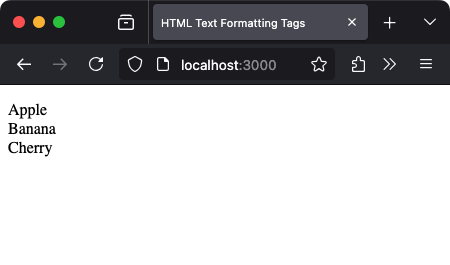
<br> is a self-closing tag — no need for a closing version.
Bold and Italic Text: Emphasize the Right Words
Use <strong> or <b> for bold text, and <em> or <i> for italic.
<p>I love <strong>apple</strong> pie.</p>
<p>Bananas are <em>incredibly</em> nutritious.</p>
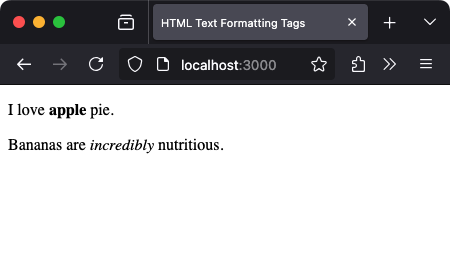
<strong> and <em> have semantic meaning (important for accessibility). <b> and <i> are for visual emphasis only.
HTML Entities: Displaying Reserved Characters
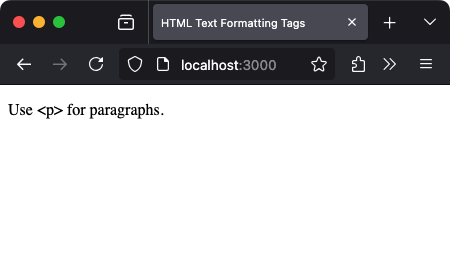
What if you need to show symbols like < or & in text? Use HTML entities — special codes that represent characters.
| Character | Entity | Output |
|---|---|---|
| < | < | < |
| > | > | > |
| & | & | & |
| " | " | " |
<p>Use <p> for paragraphs.</p>
Preformatted Text: Preserving Whitespace
The <pre> tag keeps spacing and line breaks exactly as you write them. It’s ideal for showing code or poems.
<pre>
Apple
  Banana
    Cherry
</pre>
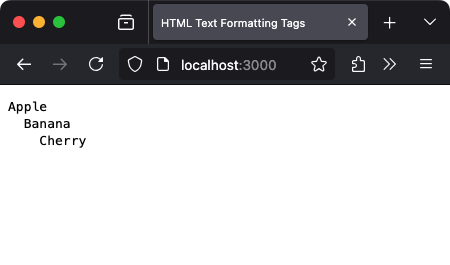
Whitespace matters here — what you type is what you get.
Summary
Text formatting is how HTML gives voice to your words. You learned:
- How to structure content with headings and paragraphs
- Where to use line breaks vs new paragraphs
- How to apply emphasis with bold and italic
- What entities are and how to display special characters
- Why preformatted blocks matter for spacing-sensitive content
Check your understanding 1
Check your understanding 2
Check your understanding 3
Choose the option that lists all and only the correct statements.
<strong><em><b><i>
Check your understanding 4
Check your understanding 5
Check your understanding 6
Choose the option that lists all and only the correct statements.
<p>Welcome to Class 10</p><br><b>Important Notice</b><p>Welcome<br><b>Hello</b></p><p>Morning Assembly</p><b>Starts at 7:30 AM</b><p><br><b>Text</b></p>
What’s Next?
In the next module, we’ll explore how to create HTML Lists — from simple bullet points to numbered steps — to bring order to your information.
Reaching the recap and completing the quizzes are separate milestones.