
HTML Tables
HTML Tables: Displaying Data with Structure
When you need to organize data into rows and columns — think price lists, schedules, or reports — HTML tables are your go-to tool. They offer structure, clarity, and a way to present complex info with precision.
The Basics: table, tr, th, and td
Here are the essential tags:
<table>— starts the table<tr>— defines a row (table row)<th>— defines a header cell (bold + centered by default)<td>— defines a standard data cell
<table>
  <tr>
    <th>Fruit</th>
    <th>Color</th>
  </tr>
  <tr>
    <td>Apple</td>
    <td>Red</td>
  </tr>
  <tr>
    <td>Banana</td>
    <td>Yellow</td>
  </tr>
</table>
And a basic css for table borders
table, th, td {
  border: 1px solid black;
  border-collapse: collapse;
}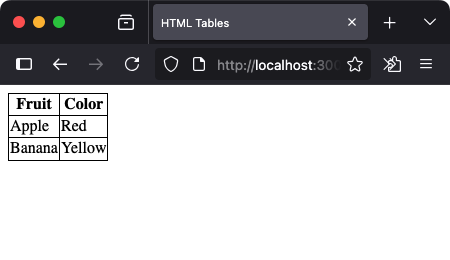
This structure is the heart of any HTML table.
Using colspan and rowspan
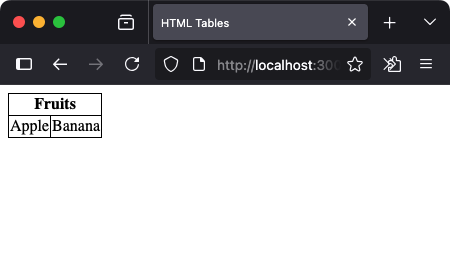
Sometimes you need a cell to stretch across multiple columns or rows. That’s where colspan and rowspan come in.
Example: colspan
<table>
  <tr>
    <th colspan="2">Fruits</th>
  </tr>
  <tr>
    <td>Apple</td>
    <td>Banana</td>
  </tr>
</table>
Example: rowspan
<table>
  <tr>
    <th rowspan="2">Fruit</th>
    <td>Apple</td>
  </tr>
  <tr>
    <td>Banana</td>
  </tr>
</table>
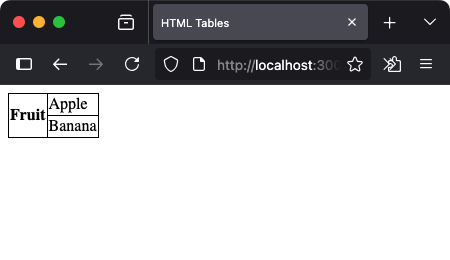
colspan and rowspan help you group and align data intuitively.
Adding Borders and Basic Styling
By default, HTML tables are borderless. Add a border attribute for simple outlines:
<table border="1">
  <tr>
    <th>Item</th>
    <th>Price</th>
  </tr>
  <tr>
    <td>Item 1</td>
    <td>$5</td>
  </tr>
</table>
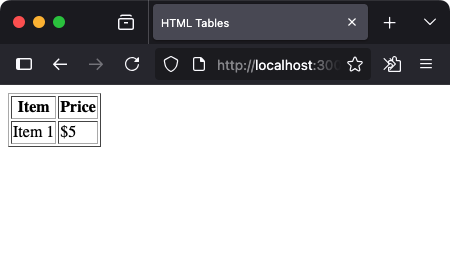
For cleaner designs, it’s better to style tables with CSS — but this gives you quick control while learning.
Table Captions and Summary
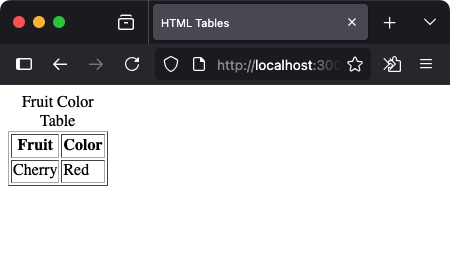
Use <caption> to describe what the table is about. It helps accessibility and comprehension.
<table border="1">
  <caption>Fruit Color Table</caption>
  <tr>
    <th>Fruit</th>
    <th>Color</th>
  </tr>
  <tr>
    <td>Cherry</td>
    <td>Red</td>
  </tr>
</table>
The summary attribute is obsolete in HTML5, so modern accessibility prefers clear <caption> tags and semantic layout.
Full Example: Styled Table with Caption
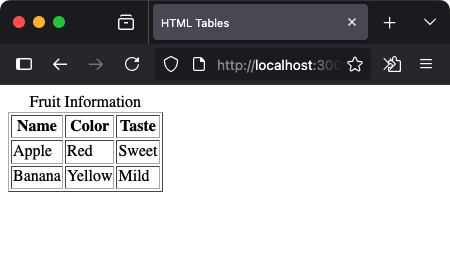
<table border="1">
  <caption>Fruit Information</caption>
  <tr>
    <th>Name</th>
    <th>Color</th>
    <th>Taste</th>
  </tr>
  <tr>
    <td>Apple</td>
    <td>Red</td>
    <td>Sweet</td>
  </tr>
  <tr>
    <td>Banana</td>
    <td>Yellow</td>
    <td>Mild</td>
  </tr>
</table>
Best Practices for Tables
- Use
<th>for headings — it improves accessibility - Keep layout simple for readability on smaller screens
- Add captions when data needs context
- Use CSS for advanced styling (covered in later lessons)
Summary
HTML tables are essential for displaying structured data — whether for product lists, schedules, or stats. You now know how to:
- Create rows and cells with
<tr>,<th>, and<td> - Merge cells using
colspanandrowspan - Add borders for visibility
- Describe your table with
<caption>
Check your understanding 1
Check your understanding 2
Check your understanding 3
Choose the option that lists all and only the correct statements.
<table><tr><th><ul>
Check your understanding 4
Check your understanding 5
Check your understanding 6
Choose the option that lists all and only the correct statements.
<table border="1"><table style="width: 100%; border-collapse: collapse;"><summary>Exam result table</summary><caption>Class 12 - Attendance</caption>
Table Styling
To lean how to style the tables using CSS, refer Table Styling using CSS.
Reaching the recap and completing the quizzes are separate milestones.